
Custom flags for vehicles and stations
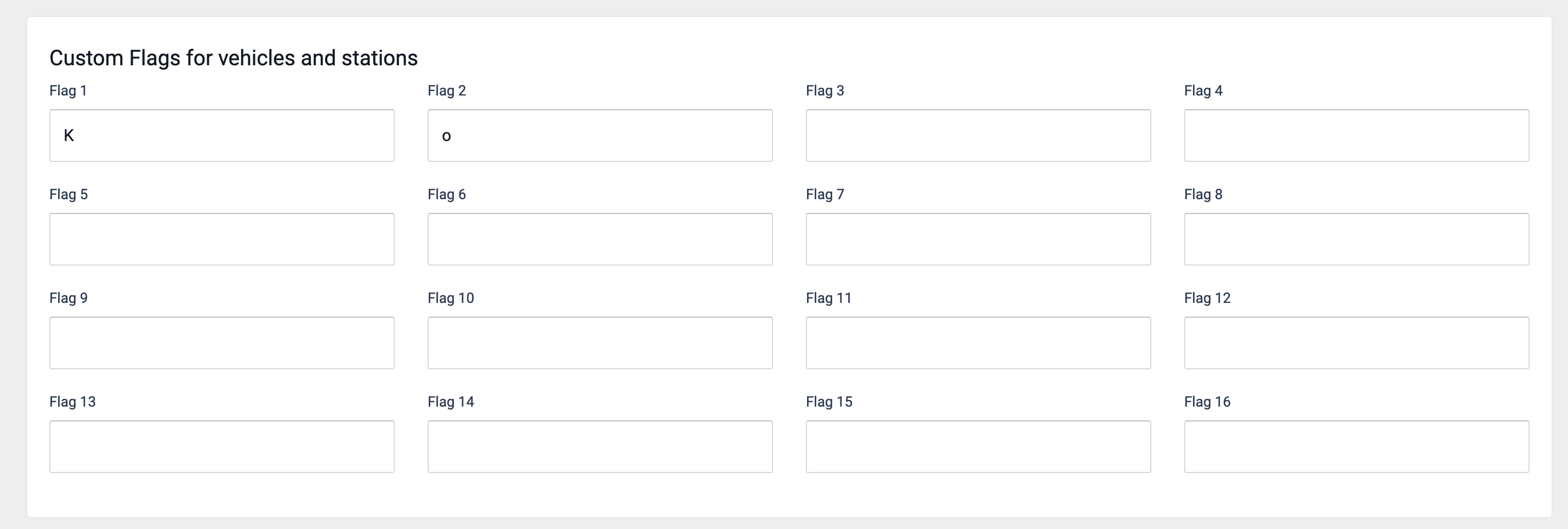
In the Custom flags for vehicles and stations section of the tenant settings of a product, up to sixteen custom flags for vehicles and stations can be defined.
These flags are optional markers for vehicles and stations. Stations and vehicles can have multiple custom flags. The basic idea is that vehicles serve only stations that share at least one custom flag with them. The following example illustrates this behavior.
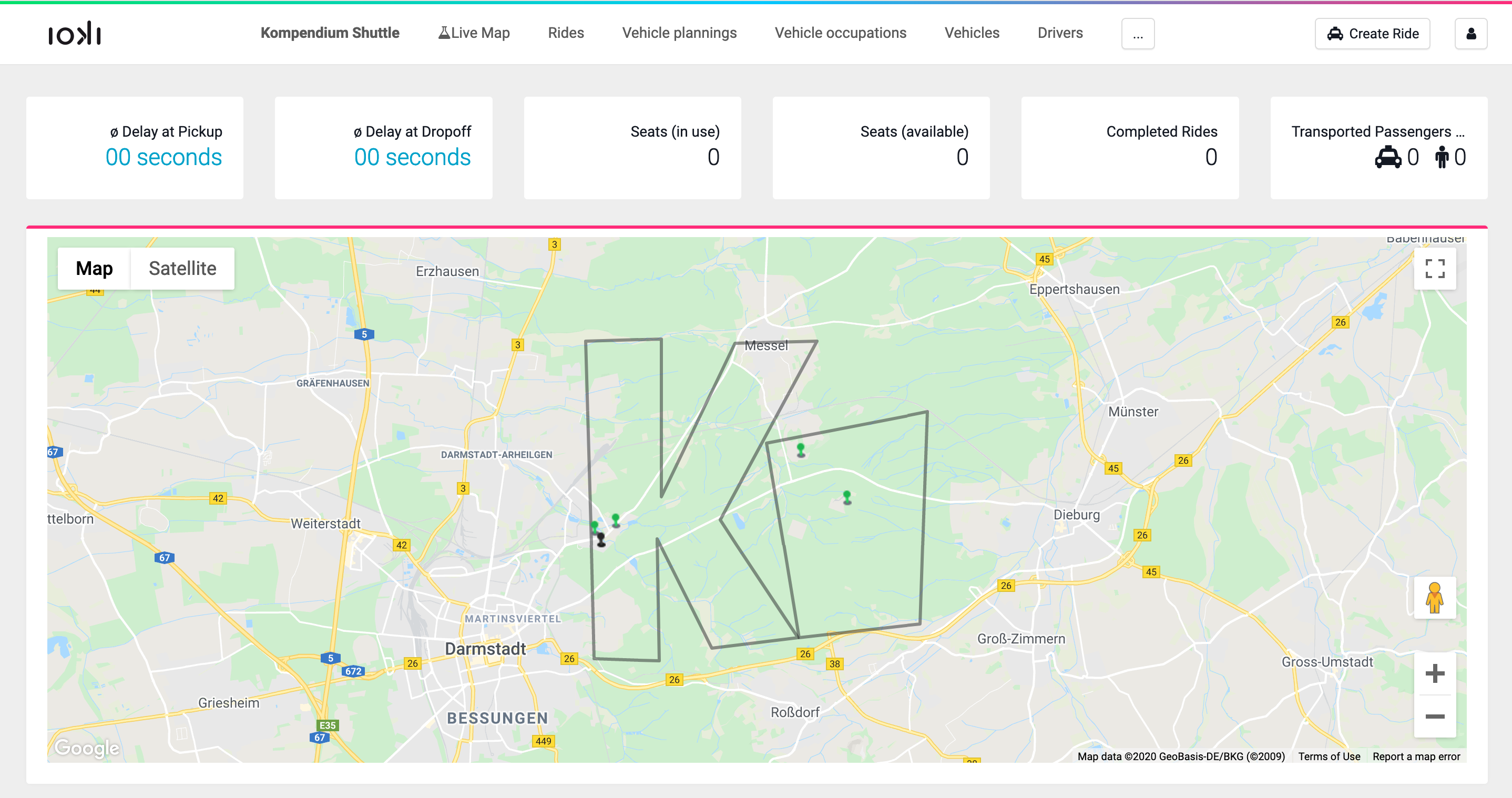
Assume the product area looks like the following:
If one vehicle should serve only stations within the
K, two should serve only the stations within theo, and one vehicle should be free to serve all stations, this can be implemented by creating two custom flags, here calledKando.
The names for the flags can be chosen freely. The names
Kandoare used here only to emphasize the connection to the areas.These flags can then be assigned to the corresponding stations and vehicles in edit mode.
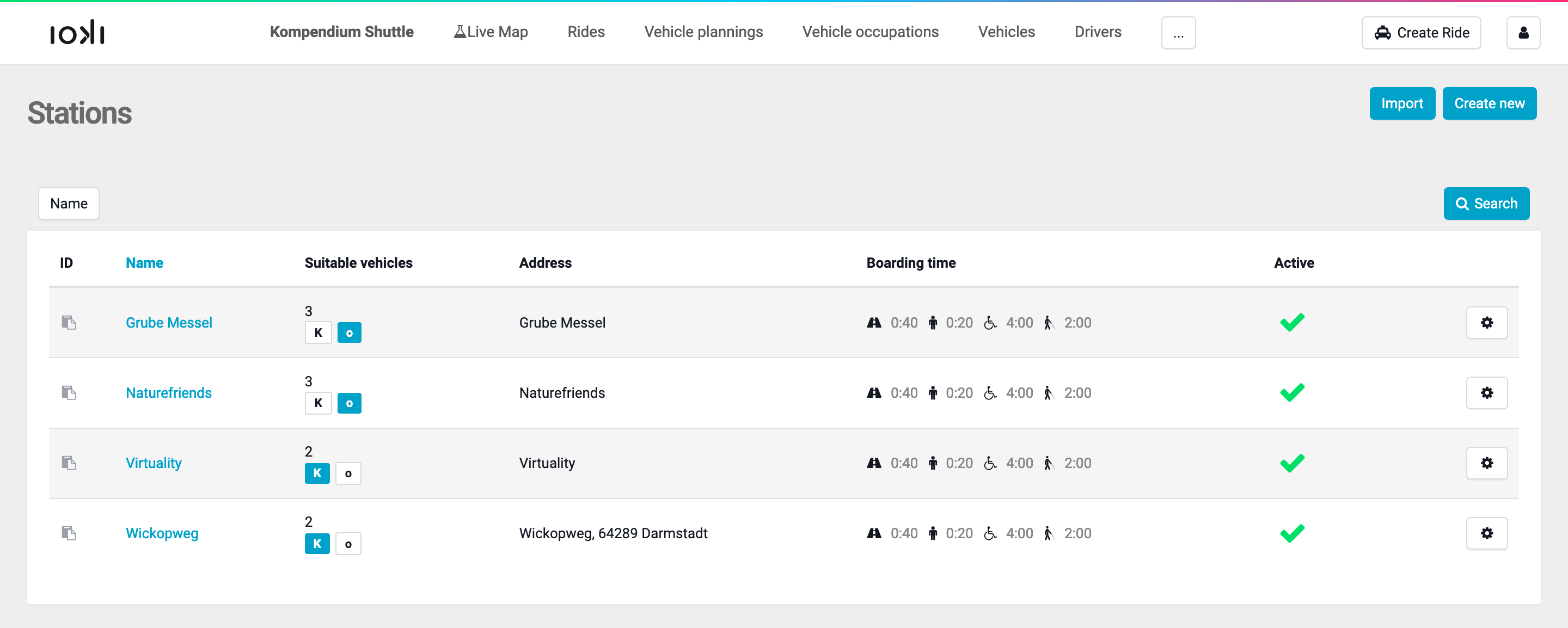
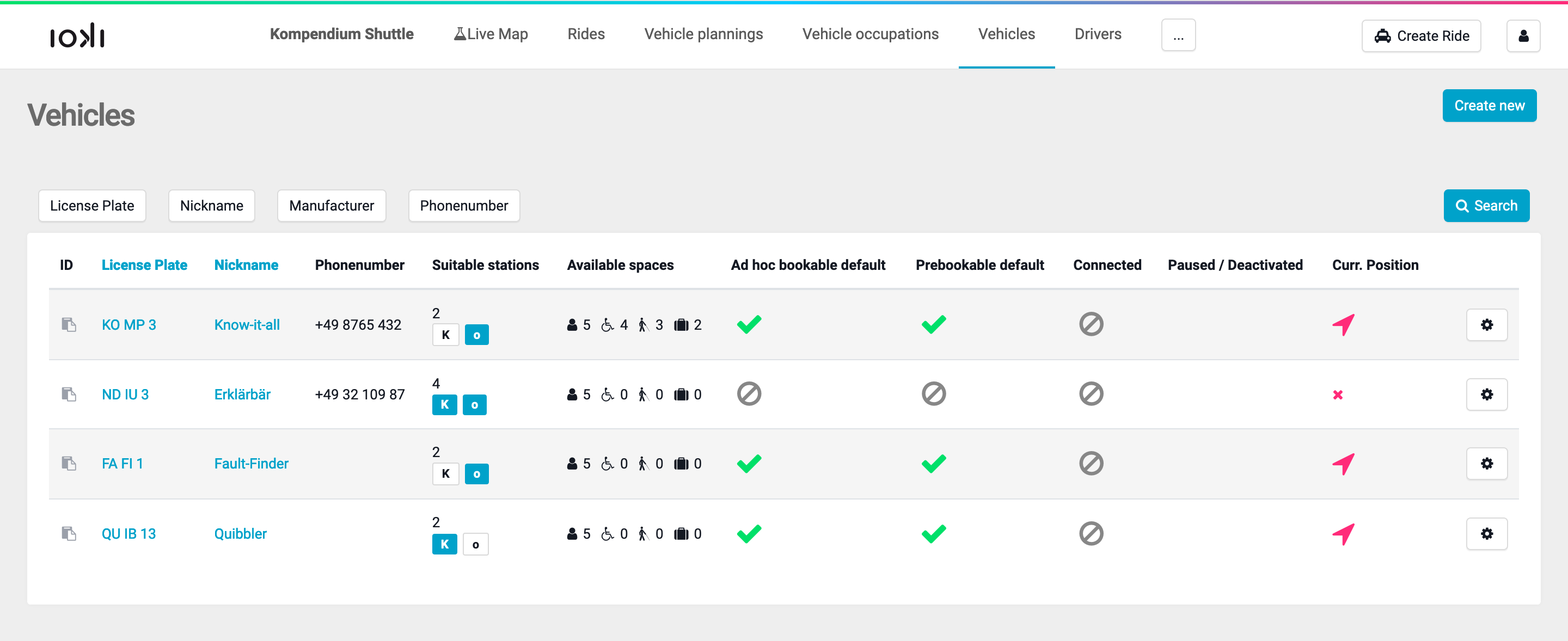
In the index views, they are shown as Suitable Stations and Suitable Vehicles, respectively.
The stations Virtuality and Wickopweg lie within the
K, so the custom flagKis assigned to them. The stations Grube Messel and Naturefriends lie within theo, so the custom flagois assigned to them.
The vehicles Know-it-all and Fault-Finder are marked with the Custom Flag
o. That means, they only serve the stations Grube Messel and Wickopweg. The Quibbler can only be used between the stations Virtuality and Wickopweg, and finally, the Erklärbär can cover all four stations.
Permissions:
update_product