
July 2026
ioki Passenger App
Clear fare information for intermodal journeys
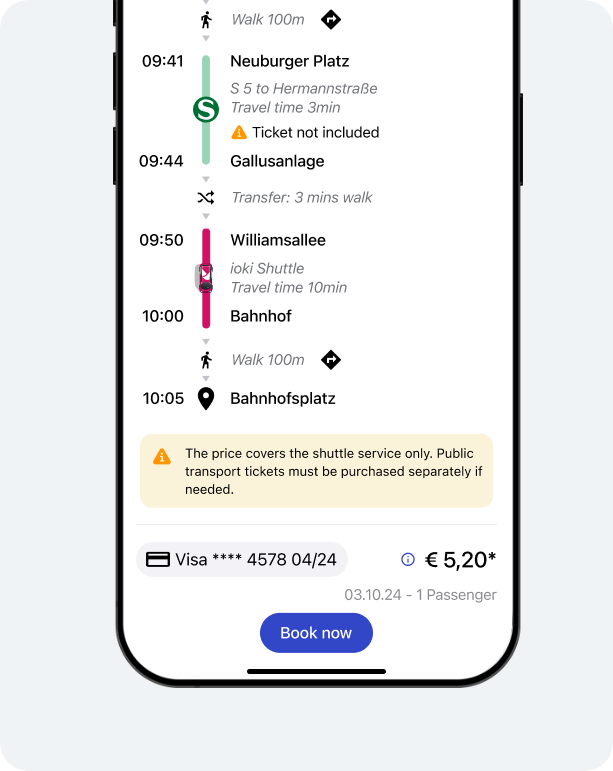
For intermodal journeys, the booking page now shows a note about the price scope. Passengers can see directly whether the displayed price covers only the DRT/shuttle ride or whether an additional public transport ticket is also required.
Result
More transparency for intermodal bookings reduces follow-up questions and prevents misunderstandings about the required ticket scope.
ioki Vehicle App
Payment method adjustable by the driver
Drivers can now adjust the payment method of a ride directly when the originally selected payment method cannot be used. Switching between cash payment, card payment in the vehicle, and service credits is supported.
Result
Rides can be completed reliably even when there are problems with the original payment method. This reduces cancellations and simplifies the process for both drivers and passengers.
ioki Reporting
Charts available in ioki Reporting
Selected reports in ioki Reporting can now also be displayed as charts. The first available visualizations are provided in the Completed rides and Ride requests and booking result reports.
Reports with charts are marked in the navigation with a corresponding icon.
Charts and data view
Reports with charts open in the chart view by default. The familiar table view remains available and can be opened at any time via the Data tab.
Available charts
Completed rides
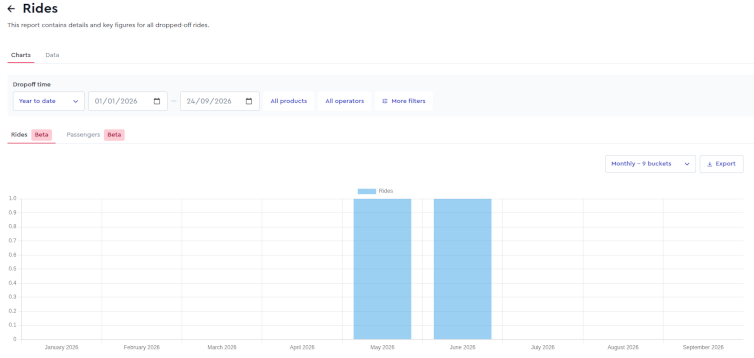
Display of completed rides and transported passengers over the selected period.
Ride requests and booking result
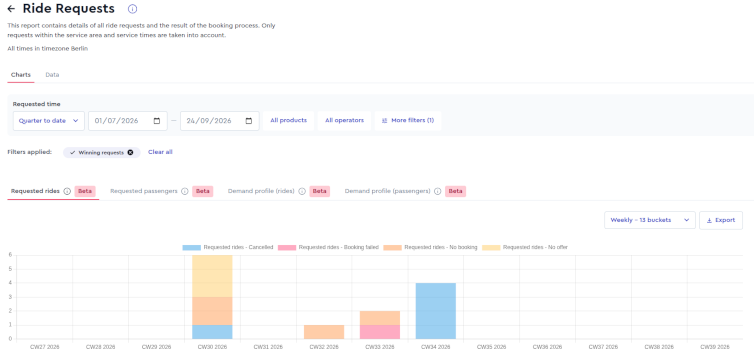
Display of rides and requested passengers and their result:
- Completed
- Booked
- Canceled
- No booking
- No offer
- Aborted
Multiple requests are cleaned up by default and can be included via the filter if needed.
Flexible analysis
Charts can be displayed for freely selectable time periods. The display adapts automatically to the selected period but can be customized individually via the dropdown menu.
Further improvements
Additional filters are now centrally available on the right-hand side. They can be selected individually and confirmed via Apply. In addition, the selected data can be exported as a CSV file for individual processing.
Result
ioki Reporting now offers a faster visual analysis of operational data and helps operators identify trends more easily and make better-informed decisions.
Full address display in reports
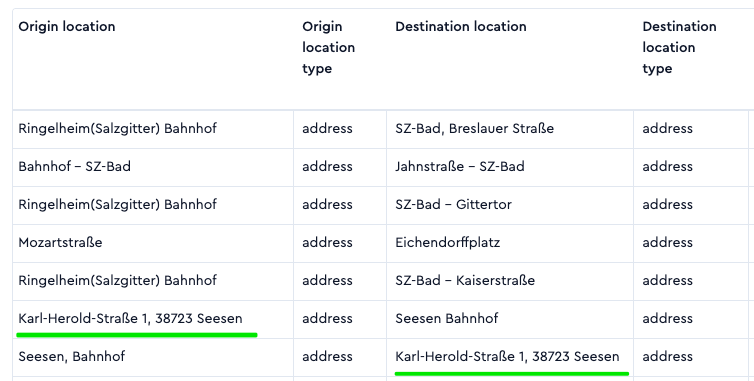
ioki Reporting now displays location information in even more detail. If an official name is available for a location (e.g. a station or a location name assigned by Google), it is displayed. If no name is available, the full address including the city is shown instead.
Result
Rides and locations can be assigned more quickly and unambiguously in reporting. The display now matches the location display in the ioki Passenger App.
Ride IDs available in completed vehicle distances
The analysis of completed vehicle distances now includes the associated ride IDs. This makes it easier to trace individual rides and to use them for billing and stakeholder reporting.