
February 2026
ioki Operator
Easily duplicate shifts for faster planning
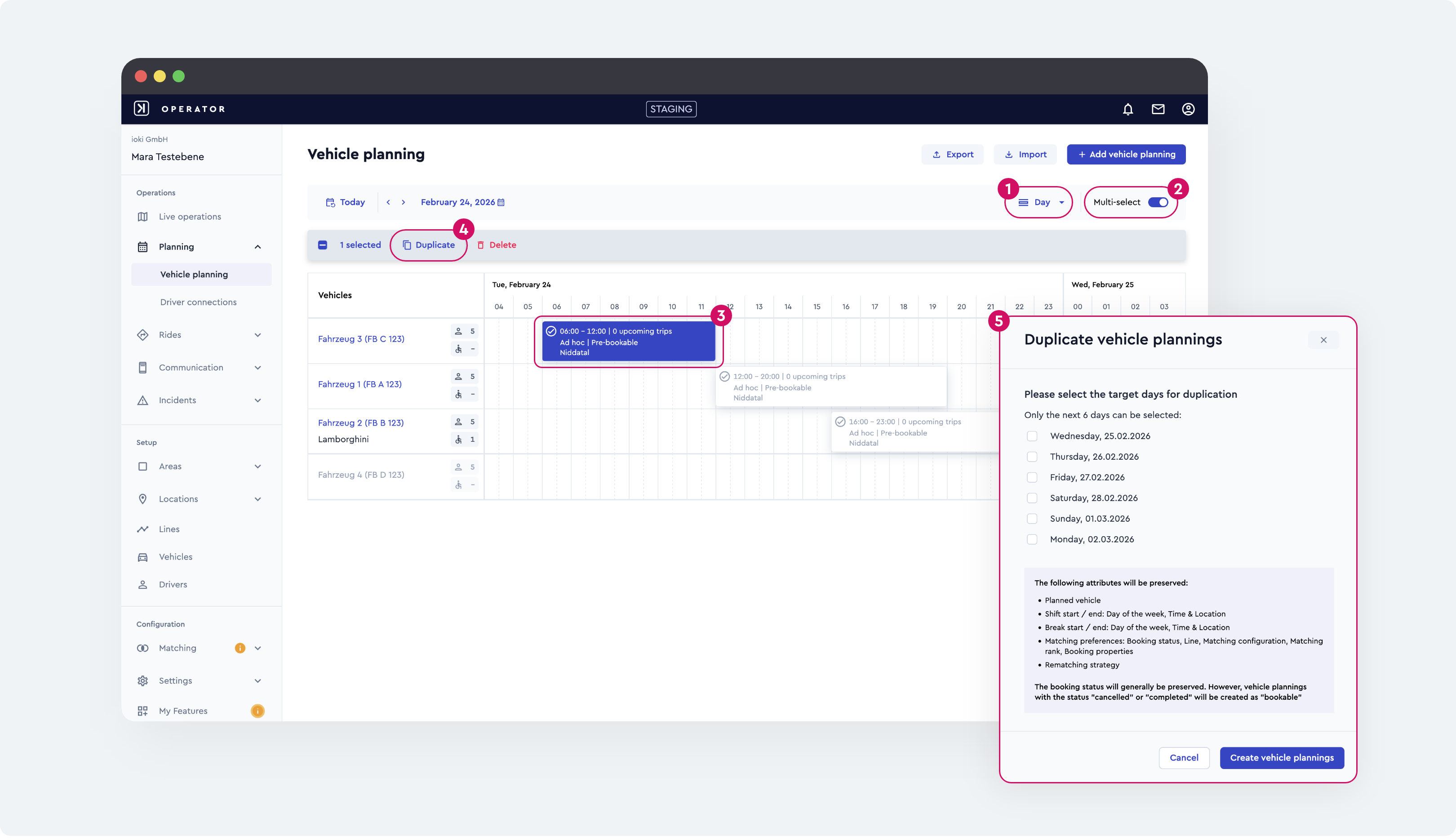
Shifts can now be easily copied and inserted into other days or weeks. This allows recurring vehicle plannings to be created much faster without having to manually recreate existing configurations. All relevant shift details such as times, vehicles, assigned locations, and matching settings are retained to ensure consistent planning.
Why this matters
- ✓ Faster preparation of future vehicle plannings
- ✓ Reduced manual effort for recurring planning
- ✓ Consistent planning through automatic transfer of all shift details
- ✓ Early conflict notifications ensure reliable planning
How it works
- Open the day view to duplicate a single day within the next 6 days, or the week view to duplicate one or multiple days within the next 4 weeks
- Activate Multi-Select
- Select the desired shift(s)
- Select Duplicate
- Define the target days or target weeks
- Confirm with Create vehicle plannings
→ Shifts are automatically transferred and appear immediately in the schedule
Result
Significantly more efficient and reliable vehicle planning with less manual effort and faster preparation of new time periods.
ioki Passenger App
Automatic activation of tickets at the right time
Public transport tickets booked via the ioki Passenger App are now automatically purchased and activated to match the respective trip, ensuring they are valid exactly when needed. This guarantees that tickets are not activated too early and are ready at the right time.
Improvements
- ✓ Tickets for spontaneous rides are still activated immediately after purchase and are valid right away
- ✓ Tickets for pre-booked rides are automatically purchased on the day of travel and activated shortly before the trip begins
- ✓ Pre-booked tickets are clearly labeled as such and linked to the corresponding trip
- ✓ The connection between ticket and trip is visible both in the ticket overview and in the trip overview
Result
Tickets are always valid at the right time and automatically linked to trips. Users maintain full visibility of their tickets and trips at all times – without any additional manual effort.
“Personal discounts” now available in “Payment”
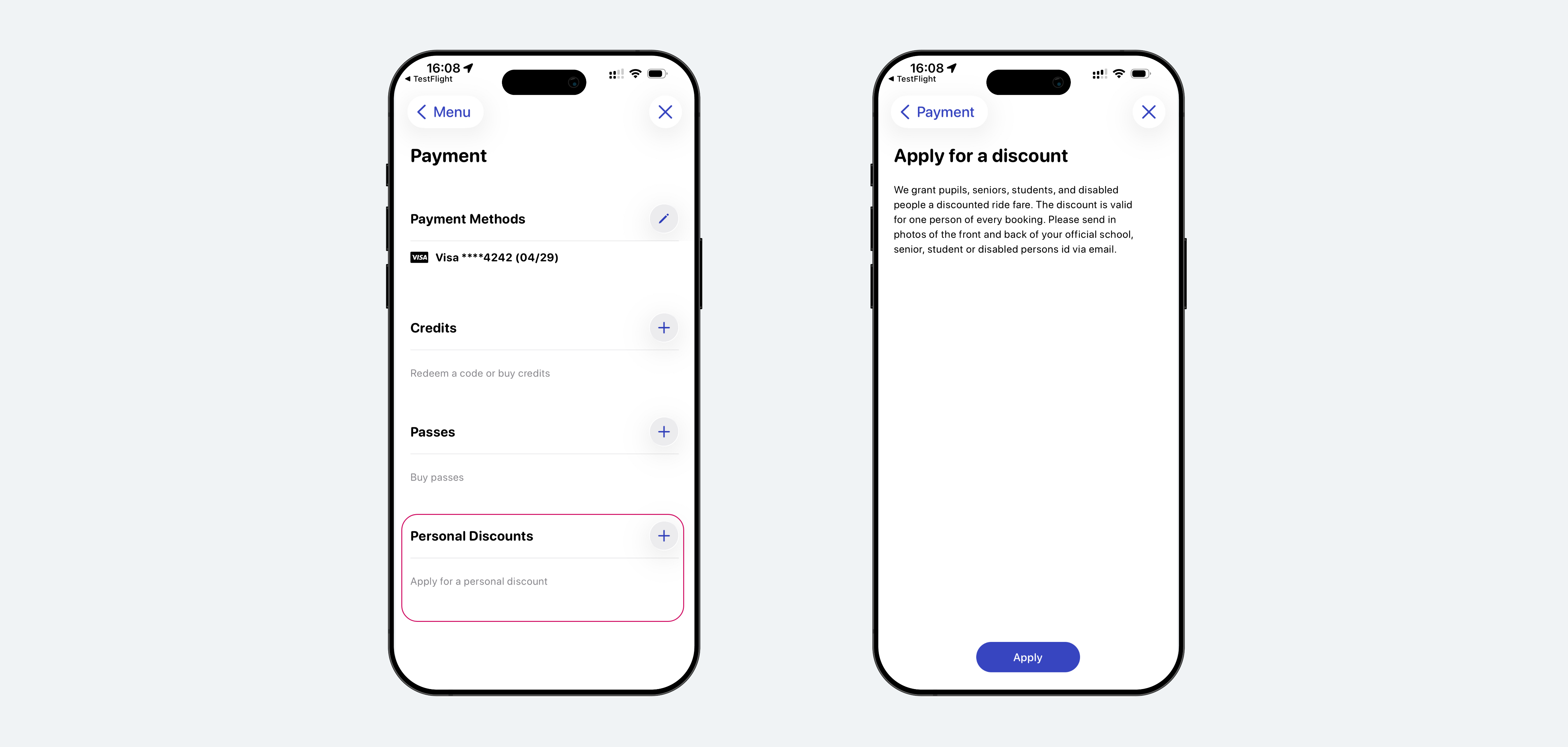
Operator-assigned personal discounts, such as employee free rides, are now displayed directly in the payments section. This brings all relevant discounts and passes together in one central location, making them easier to access and manage.
Improvements
- ✓ Operator-assigned personal discounts (not purchasable) are now displayed in the Payment section
- ✓ They are shown alongside purchasable passes, so all personal discounts are centrally organized
- ✓ The option to request personal discounts has been moved from the Account section to the Payment section
Result
Discounts and passes are now available in one central location. This simplifies management, improves visibility, and makes accessing personal discounts significantly more intuitive.