
June 2026
ioki Operator
Configuration of explicit passenger blocking durations
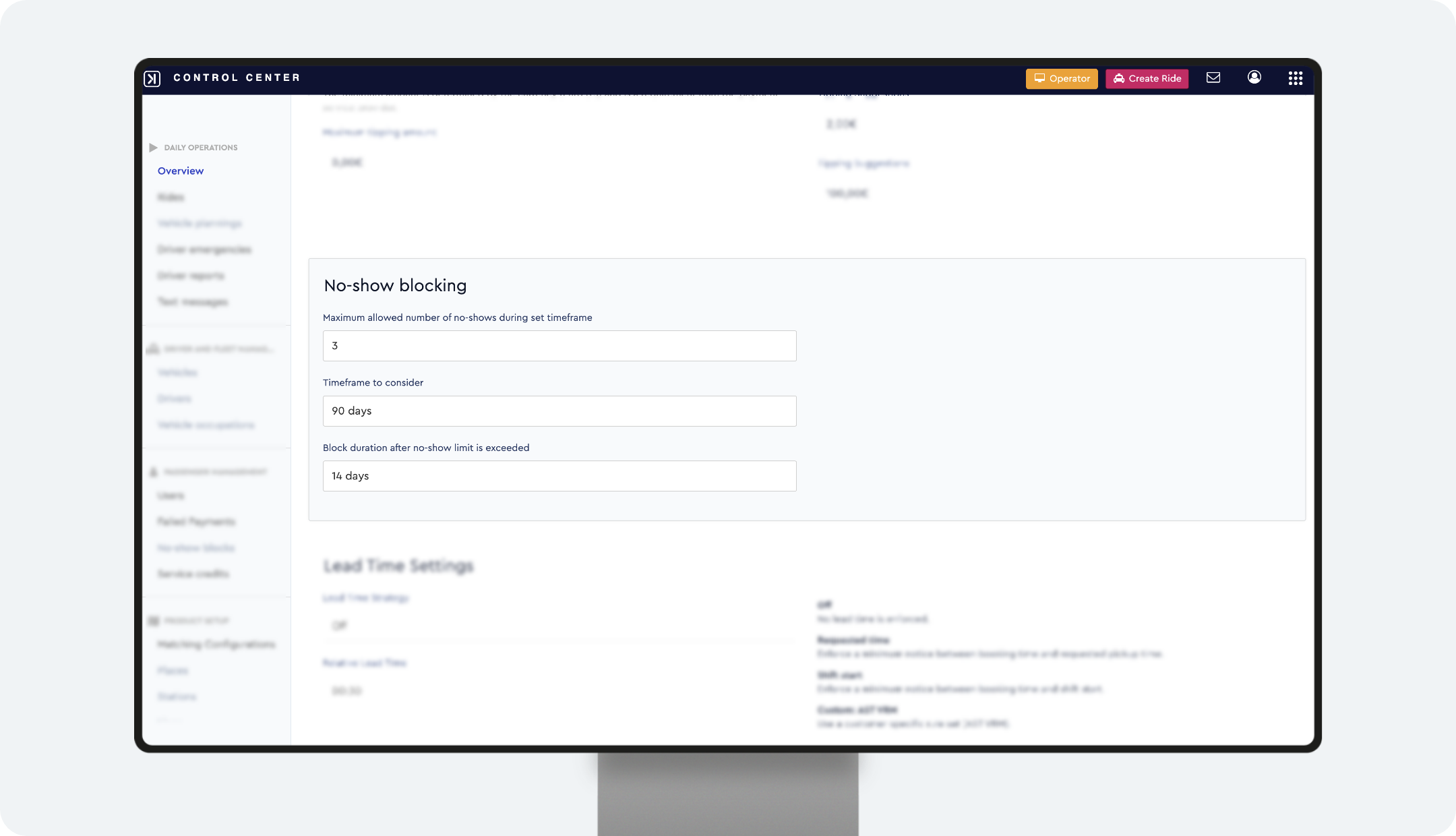
Automatic blocking after no-shows now uses an explicitly defined blocking duration. Instead of a variable duration tied to the evaluation window, a fixed duration now applies from the moment the block is triggered. Blocked passengers are also actively informed via notification.
Action required by August 3, 2026
Review and adjust the preset blocking duration. (Product settings > ⚙ Edit > section: no shows blocks)
If no changes are made, the following default values apply automatically from August 3, 2026.
Default: 14 days if the evaluation window is ≥ 30 days, otherwise 7 days.
Already active blocks continue to expire under the previous methodology.
What changes
- ✓ The blocking duration is now defined explicitly in days (previously it followed the rolling evaluation window and could fluctuate from minutes up to the full window length)
- ✓ Blocked passengers receive a notification about the block and the expected unblock date
Result
Predictable, consistent blocking durations and fewer support inquiries thanks to more transparent communication with passengers.
Clearer wording for no-show and block actions
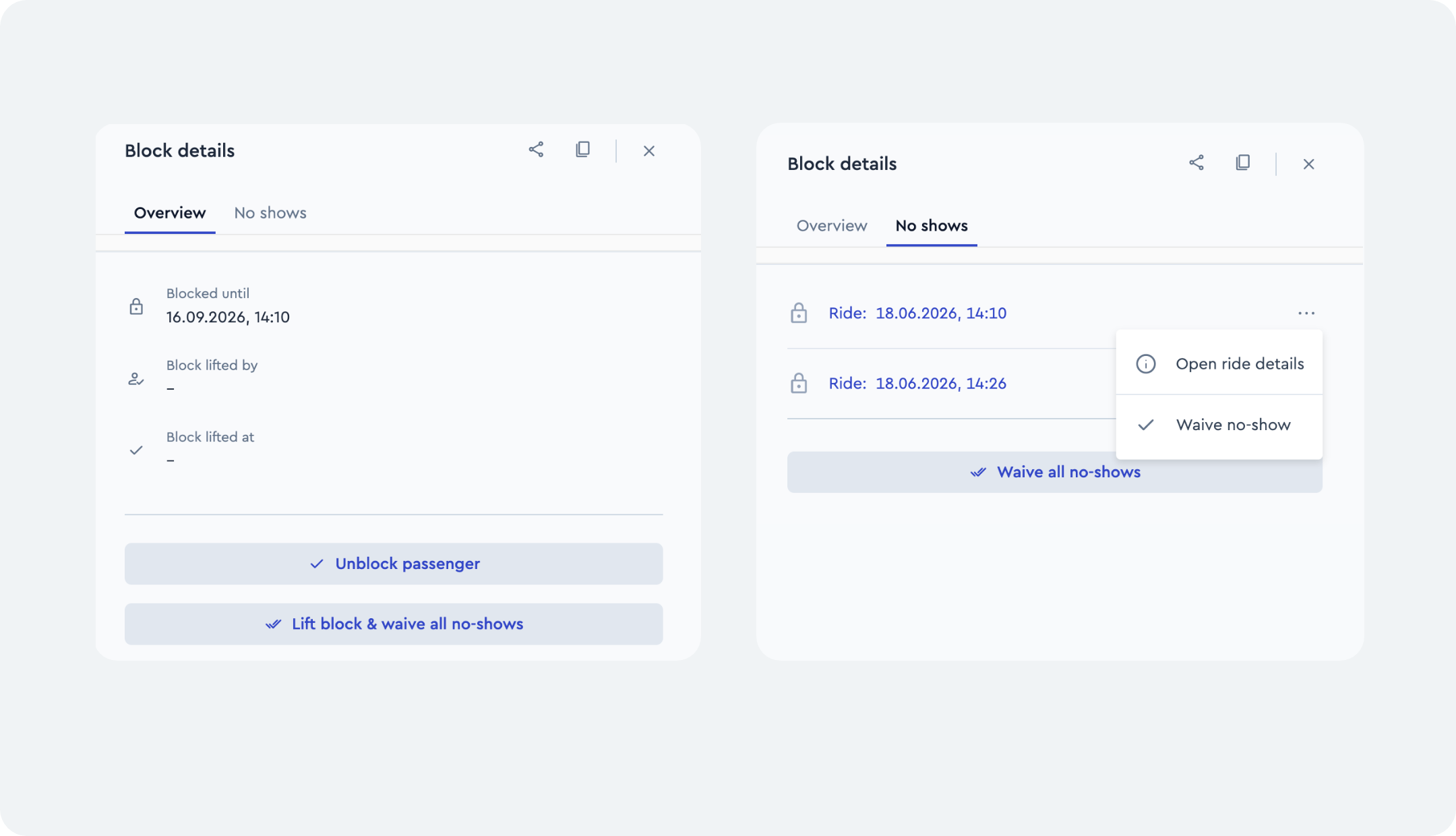
Until now, no-show and block actions used a single ambiguous label for two different effects—lifting a block and waiving a single no-show—so it was not clear which effect an action would actually trigger. Three distinct, self-explanatory labels now provide clarity: Waive no-show, Lift block & waive all no-shows and Lift block only. These actions are available in ioki Operator > Trips > No-show blocks.
Waive no-show
Removes a single no-show record, e.g. when the person concerned could plausibly explain the incident. An existing block remains unchanged.
Lift block & waive all no-shows
Lifts the existing block and resets all relevant no-show records, so earlier no-shows cannot immediately trigger a new block again.
A full fresh start for the passenger
Lift block only
Lifts the existing block but leaves the no-show records intact. If another no-show is registered, the passenger can be blocked again.
Suitable for temporary exceptions without resetting the history
Result
Clearly defined actions with unambiguous effects—fewer misunderstandings when handling no-shows and blocks.
Personal discounts now managed at provider level
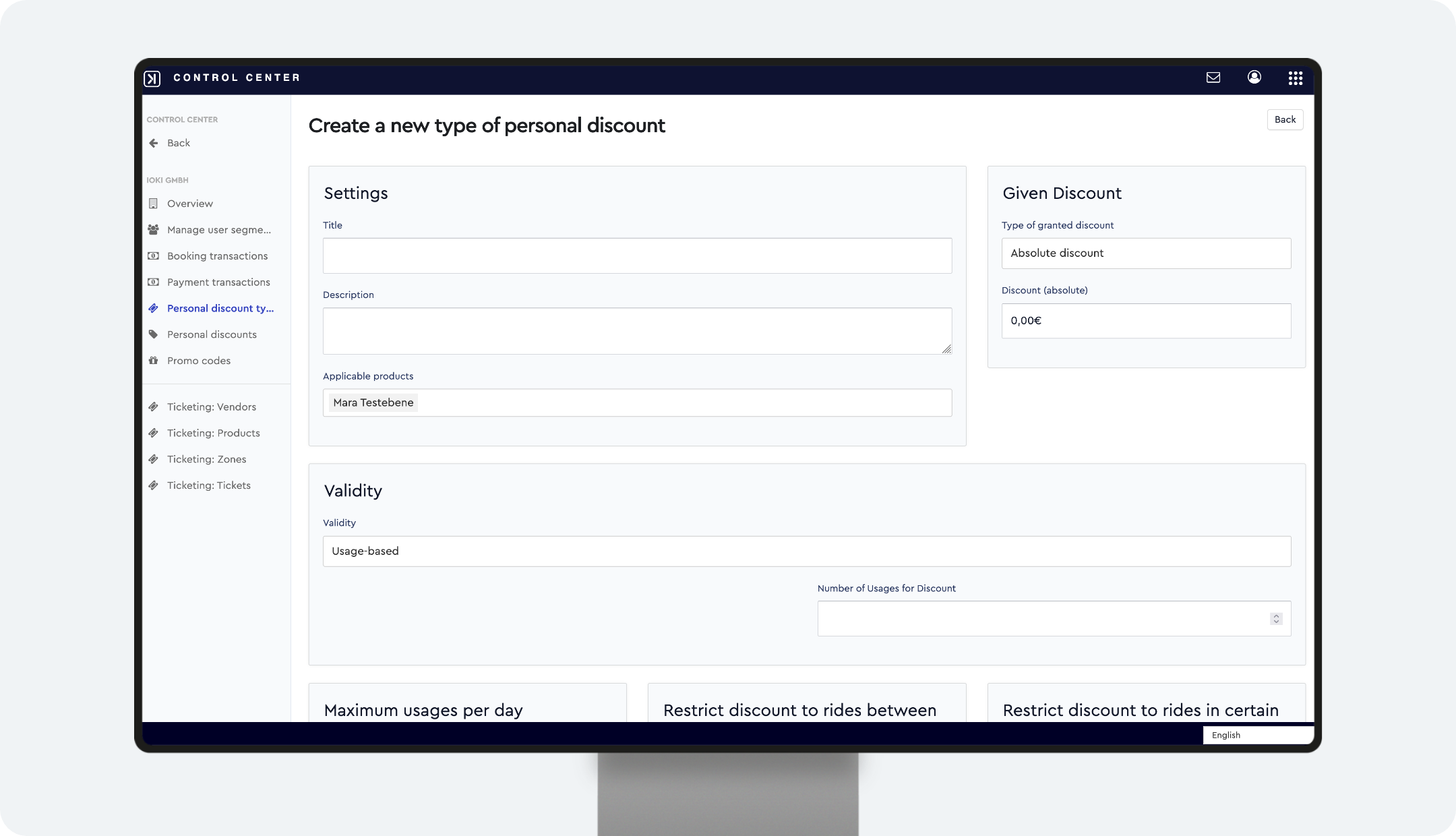
Personal discounts are now created centrally at provider level and can then be assigned to one or more products.
How it works
- Open the Control Center
- Select the desired provider
- Open Personal discount types
- Create a new discount code via the Create new button
- Enter the discount details as usual and assign them to the desired products
- Save
→ Under the Personal Discounts tab, these can then be assigned to passengers.
Result
Less maintenance effort and consistent management of personal discounts across multiple products.
ioki Booking
New features in ioki Booking
The new ioki Booking is now fully complete. All announced functions have been implemented and are available immediately. The latest four additions help staff create bookings faster and with less manual effort.
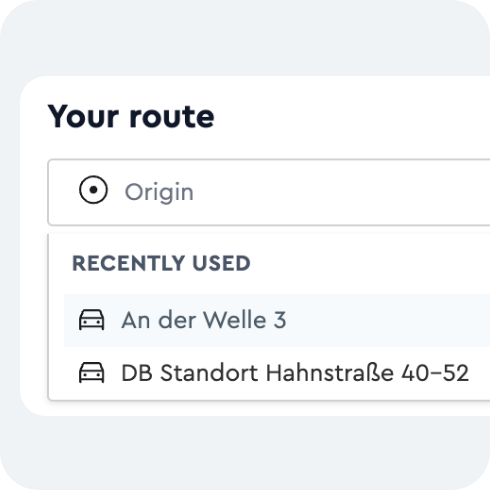
Recently used stations
When a passenger is selected, their most recently used stations appear as prioritized suggestions at the top of the origin and destination fields, grouped under a “Recently used stations” label. Familiar addresses no longer need to be re-entered for returning passengers.
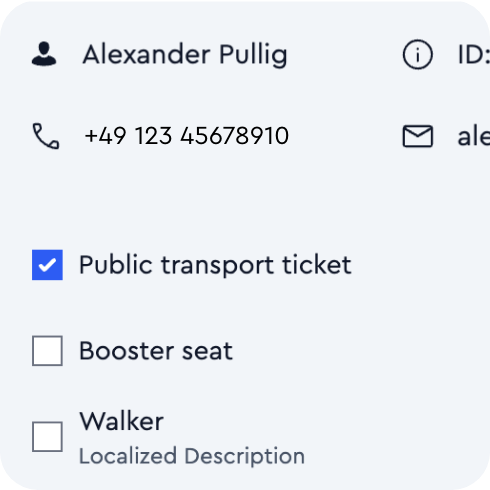
Pre-filled passenger options
Passenger attributes such as wheelchair, rollator, or ÖPNV (public transport) ticket are pre-selected automatically based on the passenger’s stored profile. Every option can still be adjusted, so for returning passengers the correct defaults are already in place.
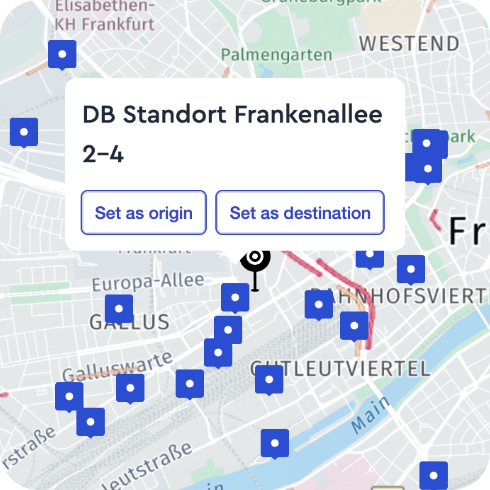
Stations on the booking map
All available stations for the selected service area are now shown as markers directly on the booking map. Selecting a marker opens a popup that sets the station as origin or destination in a single step—no manual entry required. The markers update automatically when the service area changes.
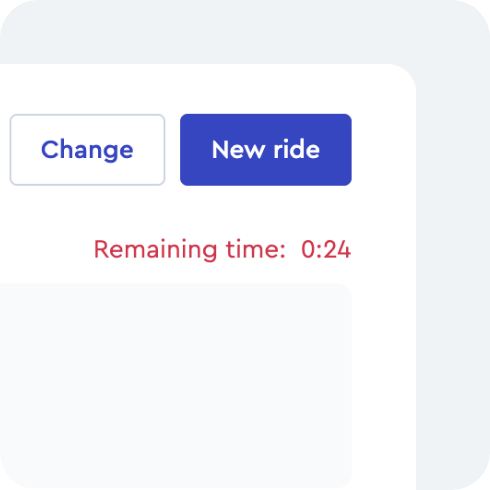
Countdown timer for ride offers
After a ride offer is returned, a live countdown shows how long it remains valid. In the last 30 seconds the timer switches to a visual warning state, signaling that action is needed. If an offer expires, the form is retained—a new search is possible via Search again without re-entering any booking data.
Result
The new ioki Booking is fully available and delivers a faster, more efficient, and more convenient booking process for staff.
ioki Vehicle App
Cancel repositioning
Drivers can now cancel a repositioning directly in the ioki Vehicle App, so they no longer have to drive to the destination when it is no longer needed.
Availability: This feature is available from Vehicle App version 3.11.1.
Result
More efficient dispatch planning and fewer unnecessary miles driven for drivers.
Driver reminder for open tasks
Drivers are now reminded to complete any remaining tasks before they sign out of a vehicle or log out. This helps improve the task completion rate and ensures more complete reporting data.
Drivers can still change vehicles or start future shifts even if older tasks have not yet been completed.