
March 2026
ioki Booking
New booking interface for rides
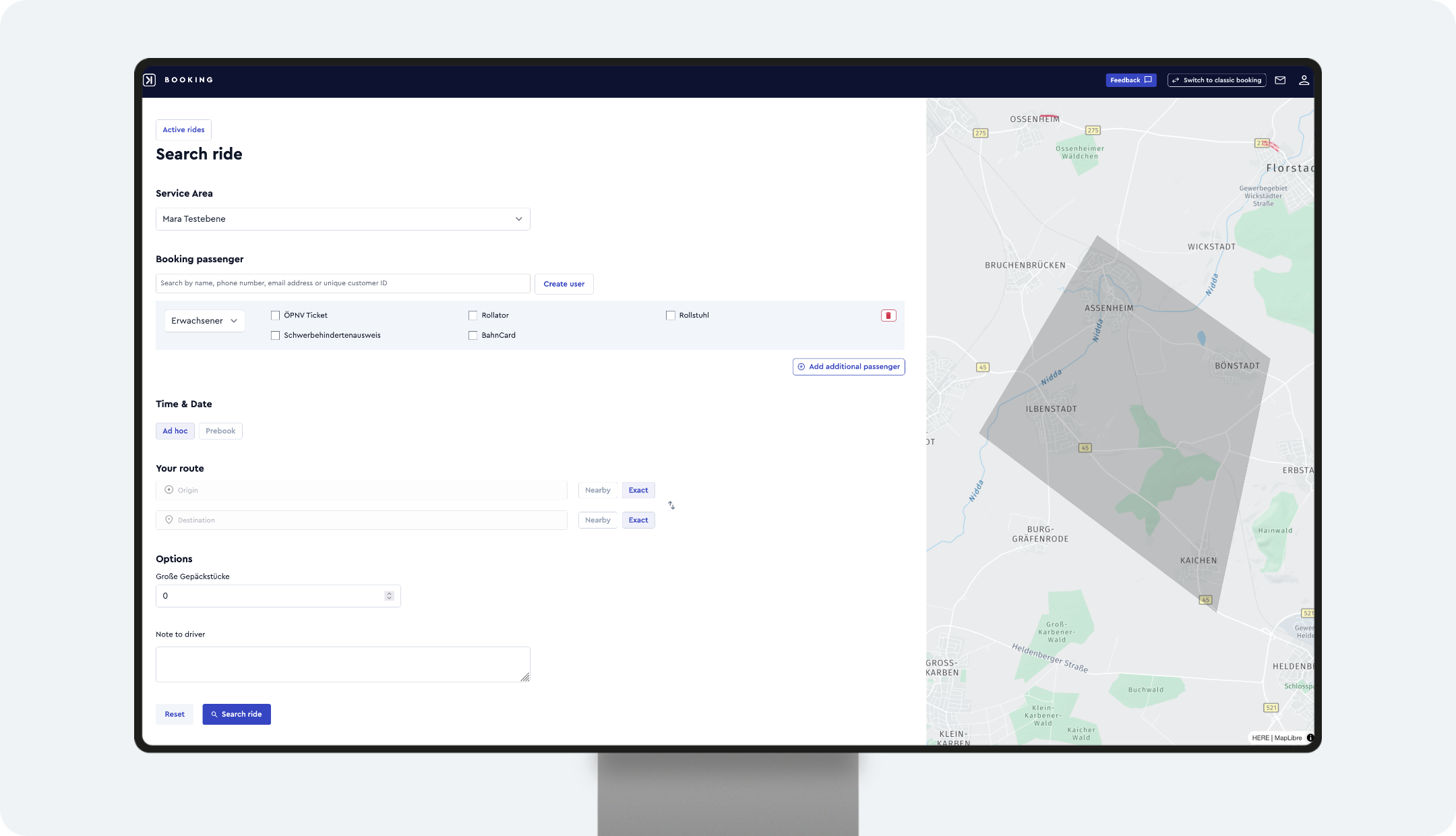
ioki Booking replaces the previous Book ride booking interface and is now a standalone, modern booking interface. It can be accessed from multiple services and offers significantly more functionality for faster and more flexible ride booking.
ioki Booking will be set as the default starting Monday, March 30, 2026. You can still switch between ioki Booking and the previous booking interface. The previous booking interface will be available until Sunday, May 31, 2026.
Access to ioki Booking
- Via Switch now in the previous booking interface
- Switching back to the previous interface is still possible until the end of May
- Required predefined role: Product booking agent
- If a custom role is used, the following permissions are required:
cancel_rides,create_bookings,create_rides,create_users,read_areas,read_service_violations,read_passenger_options,read_passenger_types,read_purchases,read_ride_options,read_rides
How booking works
- Select service area—choose the desired service area directly in the interface
- Select or create a passenger—search using autocomplete or create a new passenger
- Set start and destination—select addresses, stops, or use the map directly
- Define ride options—set time, number of passengers, and additional requirements
- Search for a ride—compare available options and choose the most suitable one
- Confirm the booking
New features available to you
- Faster booking. Optimized booking flow with fewer clicks and faster processing.
- Improved passenger handling. Autocomplete search and direct registration streamline passenger management.
- Intuitive map selection. Select stops directly on the map for better orientation.
- More mobility options. Compare multiple ride offers and public transport alternatives.
- Future-ready platform. A basis for new features such as deep links and payments.
- High flexibility. Supports complex operational models and future extensions.
Result
With ioki Booking, a modern, centralized, and powerful booking interface is available, simplifying processes and significantly improving booking quality.
ioki Operator
Collapsible side navigation for improved workspace
The side navigation in ioki Operator can now be collapsed to create more space for your workspace. This is especially helpful in views such as monitoring and planning, where screen space is critical.
Why this matters
- More available screen space for operational views like monitoring and planning
- Improved focus on relevant data and workflows
- Flexible layout that adapts to different tasks and screen sizes
How it works
- Click the collapse icon to hide the menu
- Click again to expand the menu when needed
Result
A cleaner and more flexible workspace with more room for operational views, enabling better focus and more efficient daily work.
ioki Vehicle App
Bug fix: accurate delay information
Delay states in the ioki Vehicle App have been improved. Previously, trips were marked as delayed even though they were still within the valid time window.
What has been improved
- Delays are now shown only once the time window is actually exceeded, which reduces unnecessary time pressure
- The calculation is handled centrally in the backend and is consistent across all systems
Time display
Example time window—earliest pickup time 14:47, latest pickup time 14:50:
| Status | Example |
|---|---|
| 🟢 On time | 14:49 |
| 🟠 Slightly delayed (more than 1 minute outside the time window) | 14:51 |
| 🔴 Heavily delayed (more than 5 minutes outside the time window) | 14:56 |
Result
Drivers can clearly see whether they are still within the time window or actually delayed. This reduces unnecessary time pressure and supports safer driving behavior.