
February 2025
ioki Operator
Display timestamps in ride details
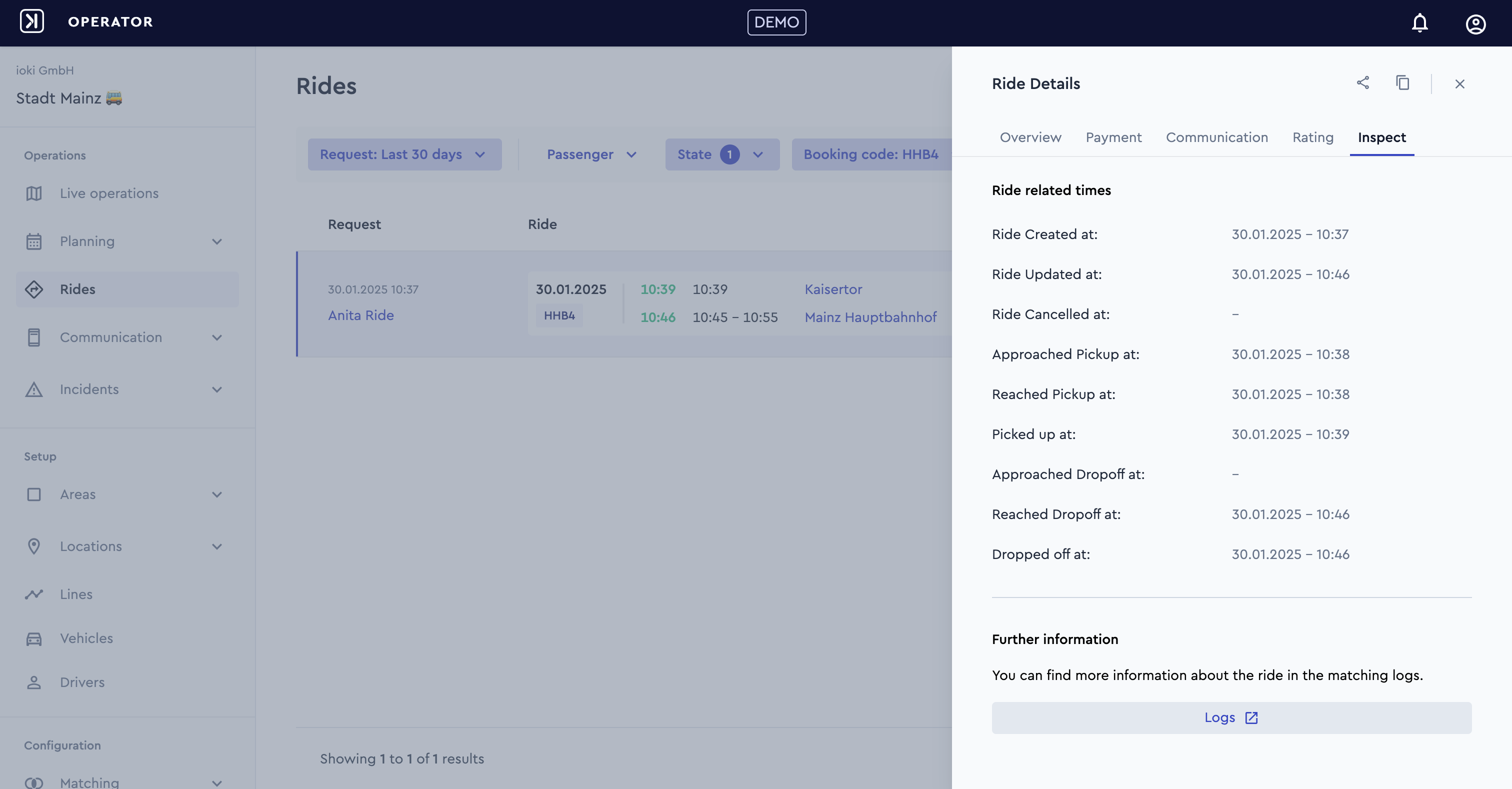
The following timestamps are now visible in Ride Details
- Ride Created at. The time the ride was created.
- Ride Updated at. The last time any changes were made to the ride.
- Ride Canceled at. The time the ride was canceled (if applicable).
- Approached Pickup at. The time the vehicle approached the pickup location.
- Reached Pickup at. The time the vehicle reached the pickup location.
- Picked up at. The time the passenger boarded the vehicle.
- Approached Dropoff at. The time the vehicle approached the dropoff location.
- Reached Dropoff at. The time the vehicle reached the dropoff location.
- Dropped off at. The time the passenger exited the vehicle.
Further, a link to the matching logs which contain more detailed information is displayed as well.
This function can be found under Rides > Ride Details > Inspect
Cancellation reasons in ride details
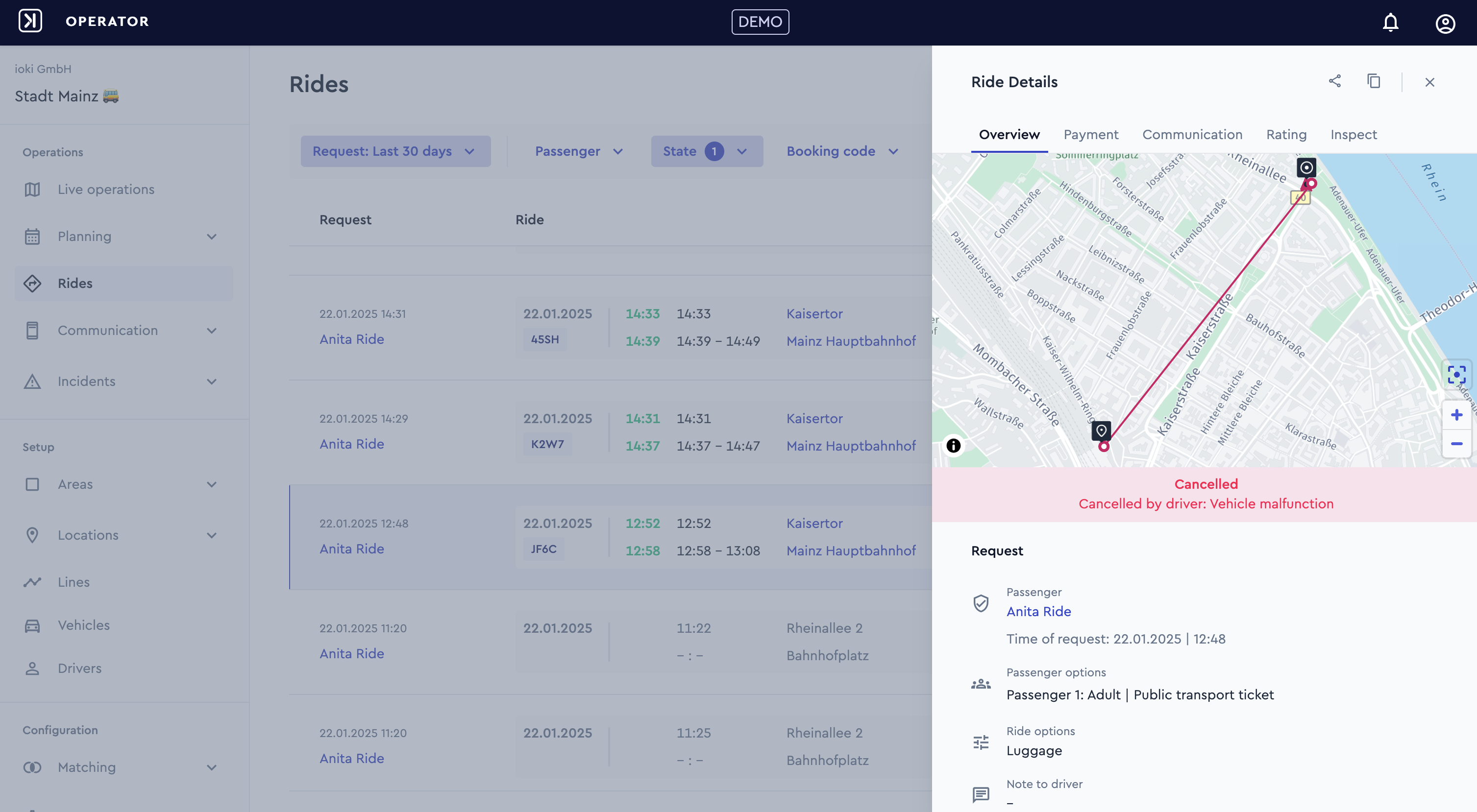
Operators can now see not only who canceled a ride but also the reason for the cancellation. This added transparency helps better understand ride cancellations and take targeted actions to improve service quality.
If a cancellation took place, more detailed information can be found within the Rides List under Status or under Rides > Ride Details > Overview
Restricted routes
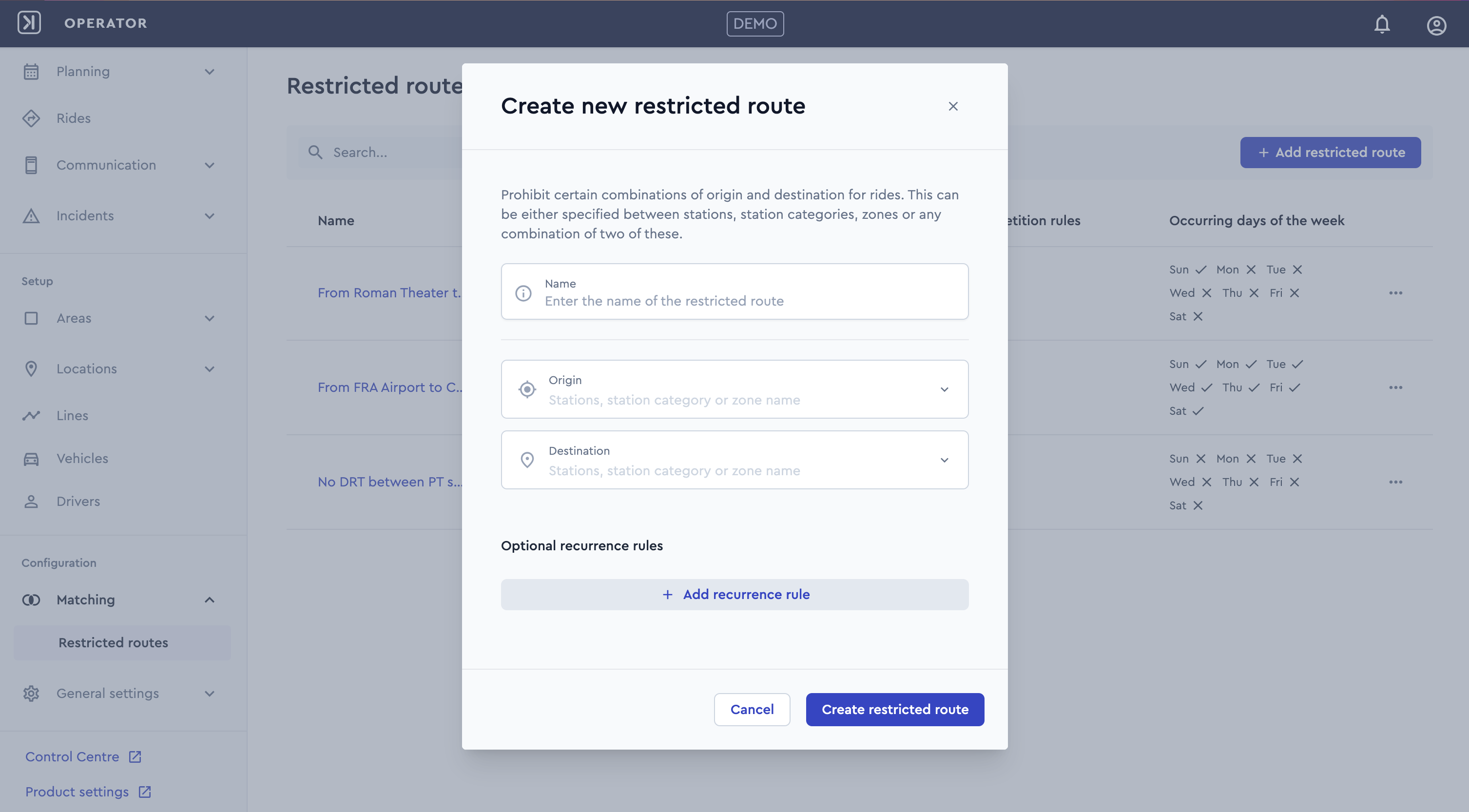
With Restricted Routes, you can block rides on routes already covered by a line offer, prevent trips between certain areas, or allow rides between specific station categories only on weekends. This keeps your service efficient, well-targeted, and ensures resources are allocated where they’re needed most.
This function can be found under Configuration > Matching > Restricted Routes
Live traffic information on Live Operations map
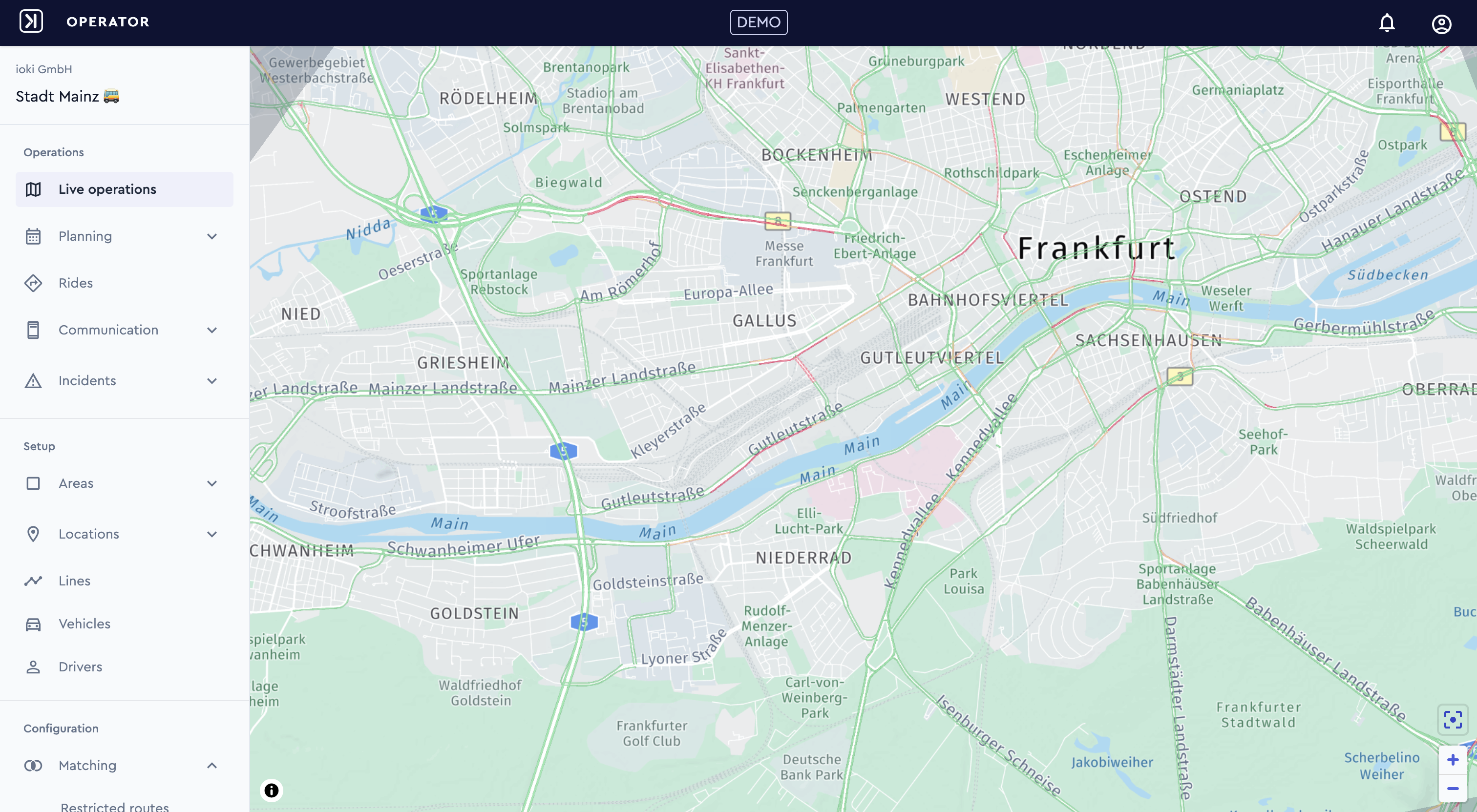
Live traffic data is now integrated into the Live Operations Map allowing operators to identify traffic-related delays in real time. This enhancement provides greater transparency and helps assess the criticality of incidents more effectively.
ioki now supports GTFS-Flex
With the introduction of GTFS-Flex, demand-responsive transport can now be structured and shared more efficiently, enabling operators to download a GTFS feed as a ZIP file and seamlessly integrate their services into public transportation systems and third-party planning tools.
For products with this feature enabled, a dedicated URL is now available, allowing operators to access the GTFS-Flex feed. The feed contains essential service information, including:
- Information about the service operator
- Details about stops
- Representation of trips and vehicles
- Mapping of stops to trips with flexible or symbolic times
- Service availability
- Booking rules
- Definition of service zones and service areas
- Geographical boundaries of service zones
The data is generated in-memory, formatted into standardized .txt (CSV) files, and compressed into a ZIP file in real time. The resulting file strictly adheres to the GTFS-Flex standard, ensuring compatibility with mobility platforms. The feed is accessible for download via a dedicated URL for each product.
Do you have any questions or need further information about the setup? Simply contact your account manager.
ioki Passenger App
Intermodal booking as feeder or defeeder with flexible search logic
When booking a DRT as a feeder, the system now uses arrival-based search logic, regardless of the search logic selected by the passenger, to ensure timely connections. A configurable minimum transfer time guarantees a smooth transfer to public transport.
For defeeders, users can choose between departure-based or arrival-based search logic. The transfer times for feeders and defeeders can be configured separately.
This update ensures seamless transfers and improves the overall intermodal booking experience.
ioki Web Booking
Direct URL to specific product
Multi-product operators can now promote their Web Booking offers on different pages. The Deep Link functionality allows users to go directly to the correct booking page, with any relevant booking details also being transmitted. When these details are received, users are taken directly to the Ride Options view, where they can complete missing information or immediately search for rides. This update makes it easier to promote the Web Booking offer, streamlines navigation, and improves the overall user experience.
Settings at the provider level
Custom support categories
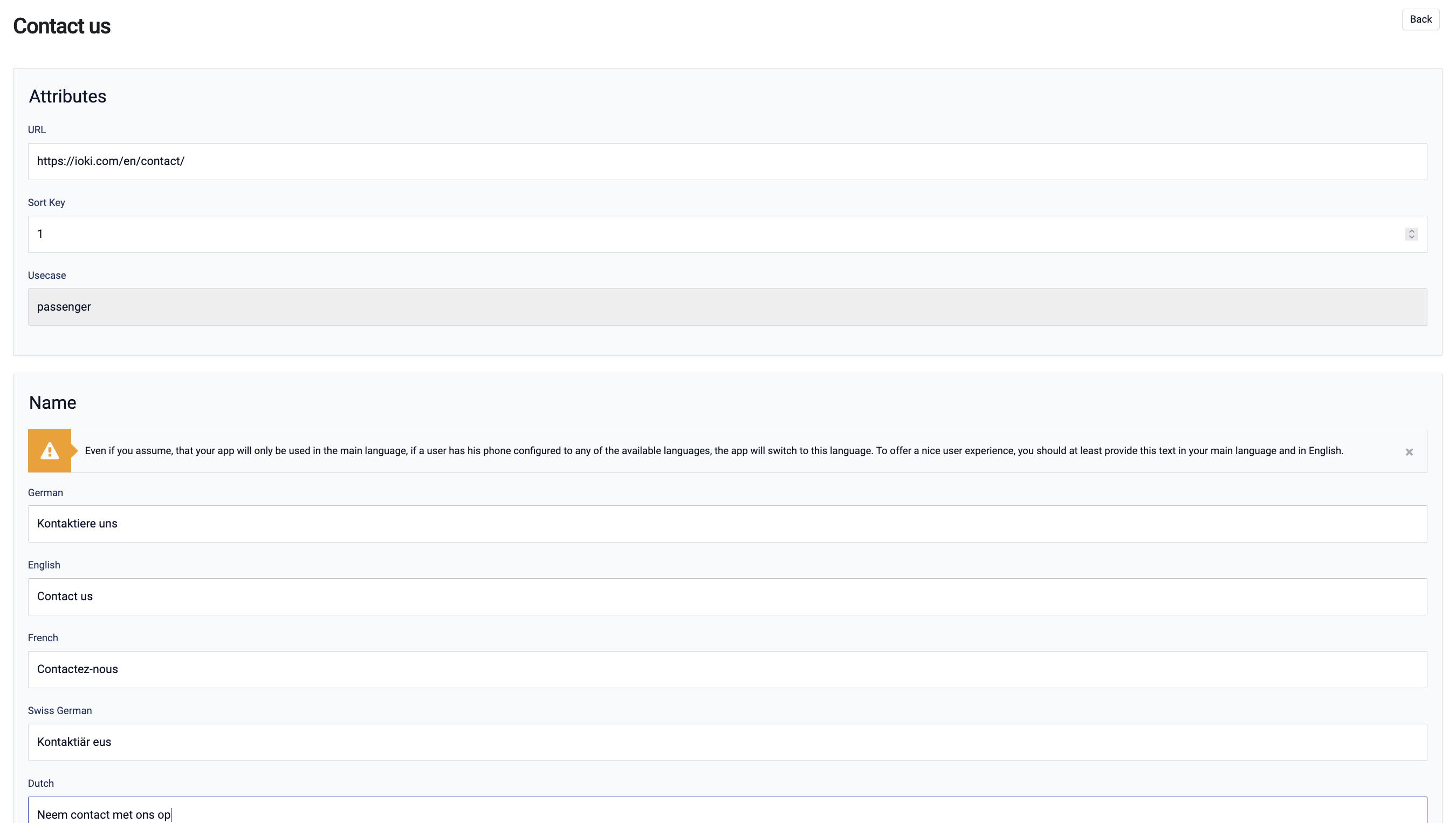
It is now possible to define custom support categories with URLs in the provider settings. This allows passengers to quickly find the appropriate support category in the ioki Passenger App, ensuring a consistent display across all localized languages.
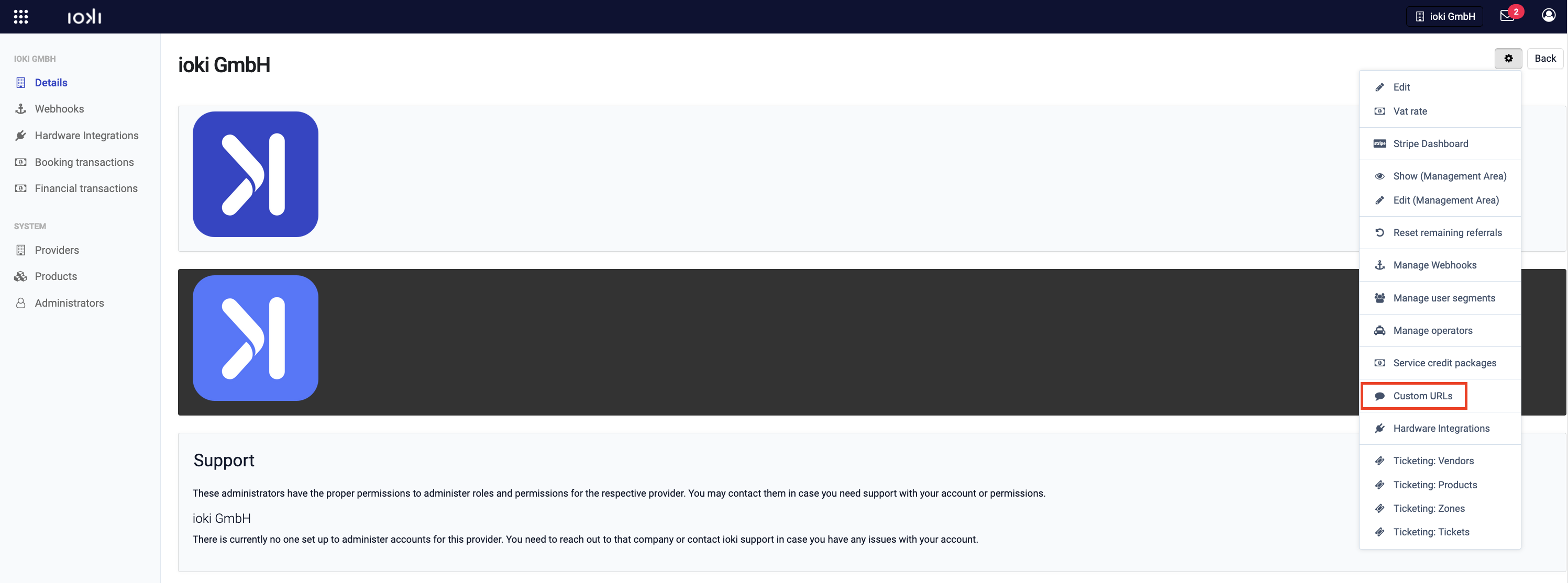
This feature can be found in the customer section under Details > ⚙️ > Custom URLs.
ioki Reporting
Enhanced data export functionality
In response to customer feedback, we have enhanced the data export functionality for larger time spans. Reporting users can now export data for a minimum time span of one year in a single file. This improvement simplifies data analysis for users who need to work with larger datasets over extended periods, reducing the need for multiple exports and merging of files. For ioki Reporting, data is available from 01/2024 onwards.