
November 2025
ioki Operator
Bulk deactivation of stations
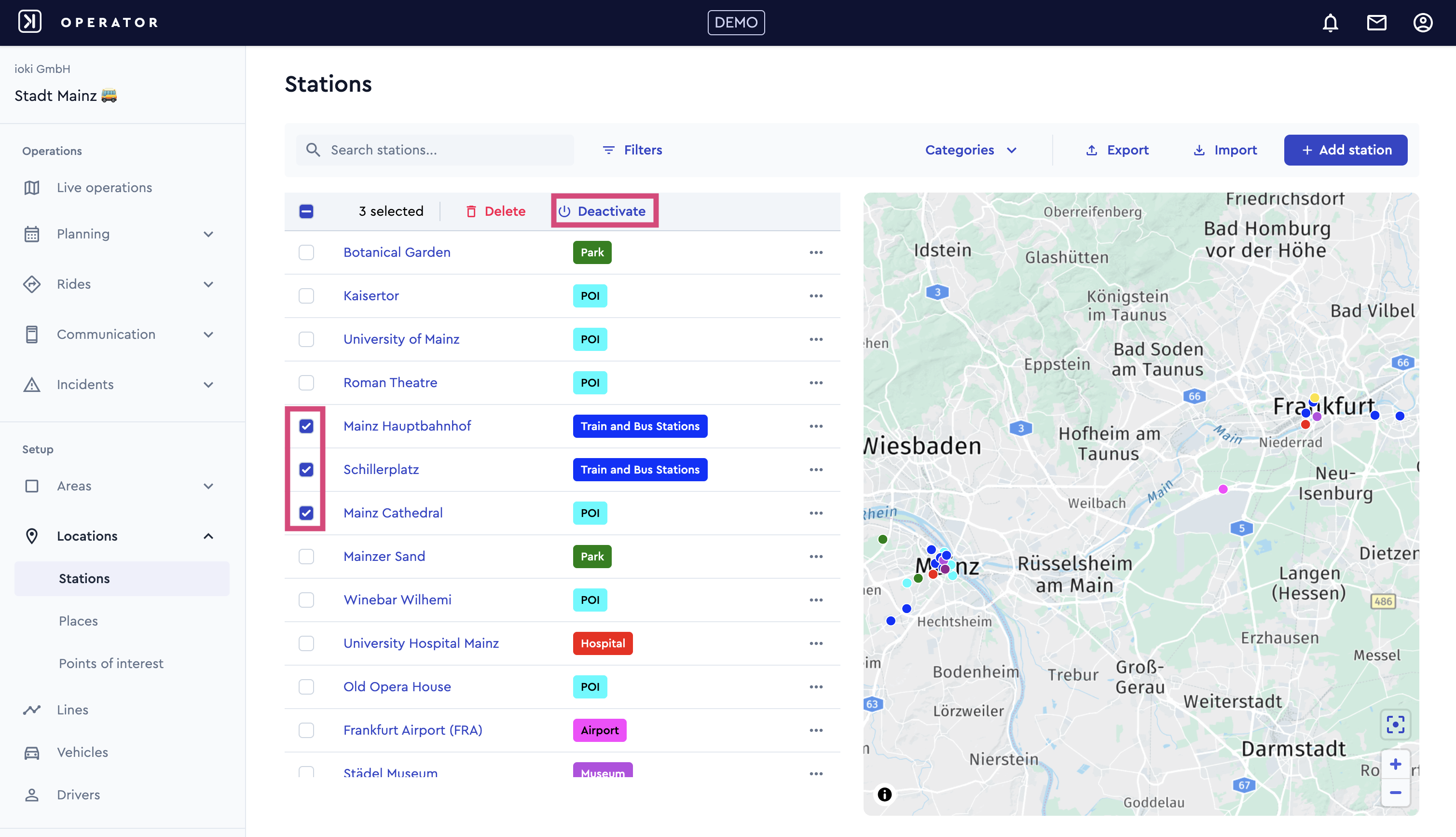
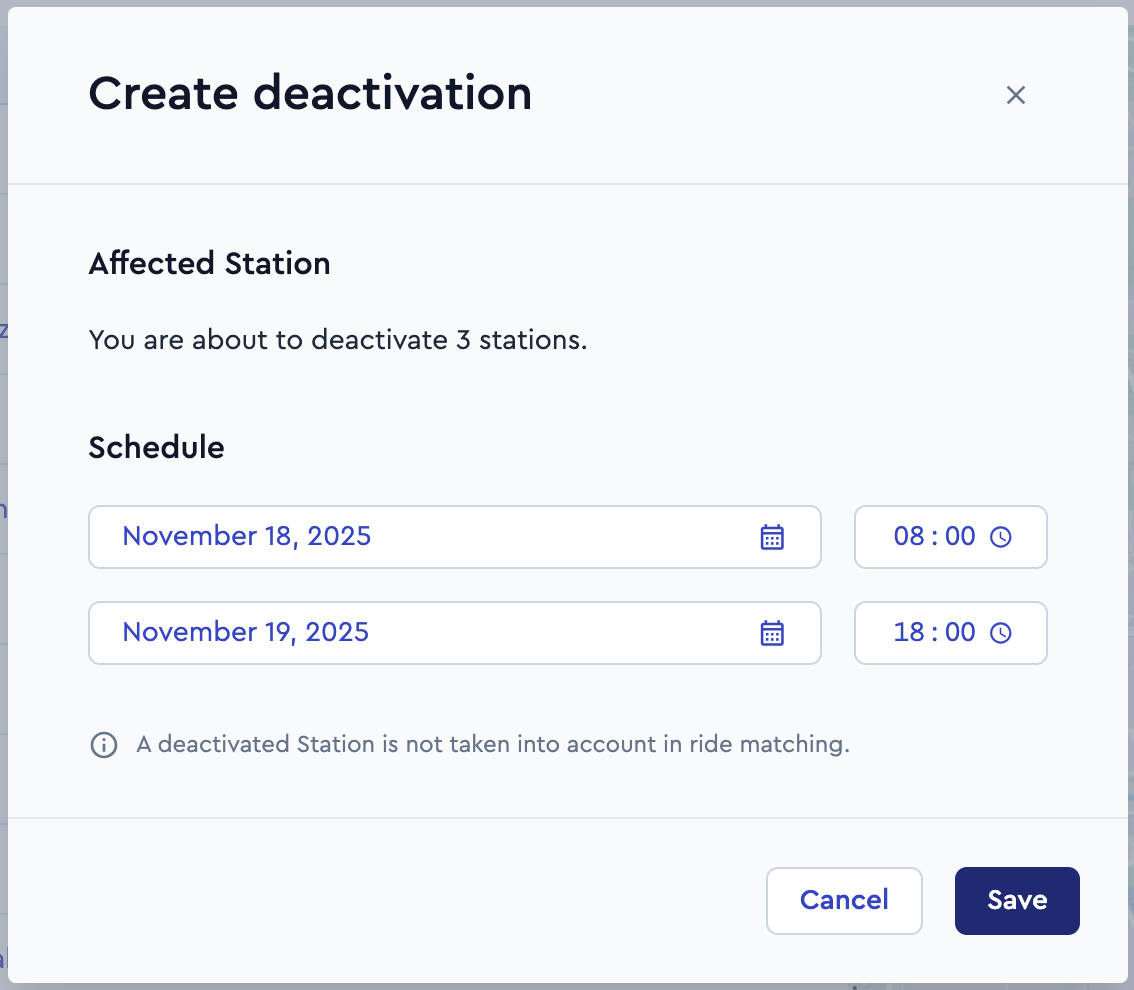
Multiple stations can now be deactivated simultaneously for a defined period. This simplifies the management of temporary restrictions such as maintenance, events, or closures.
Selected stations are clearly listed, and start and end times must be provided before saving. A deactivated station is not taken into account in ride matching.
ioki Passenger App
Optimized display of service areas
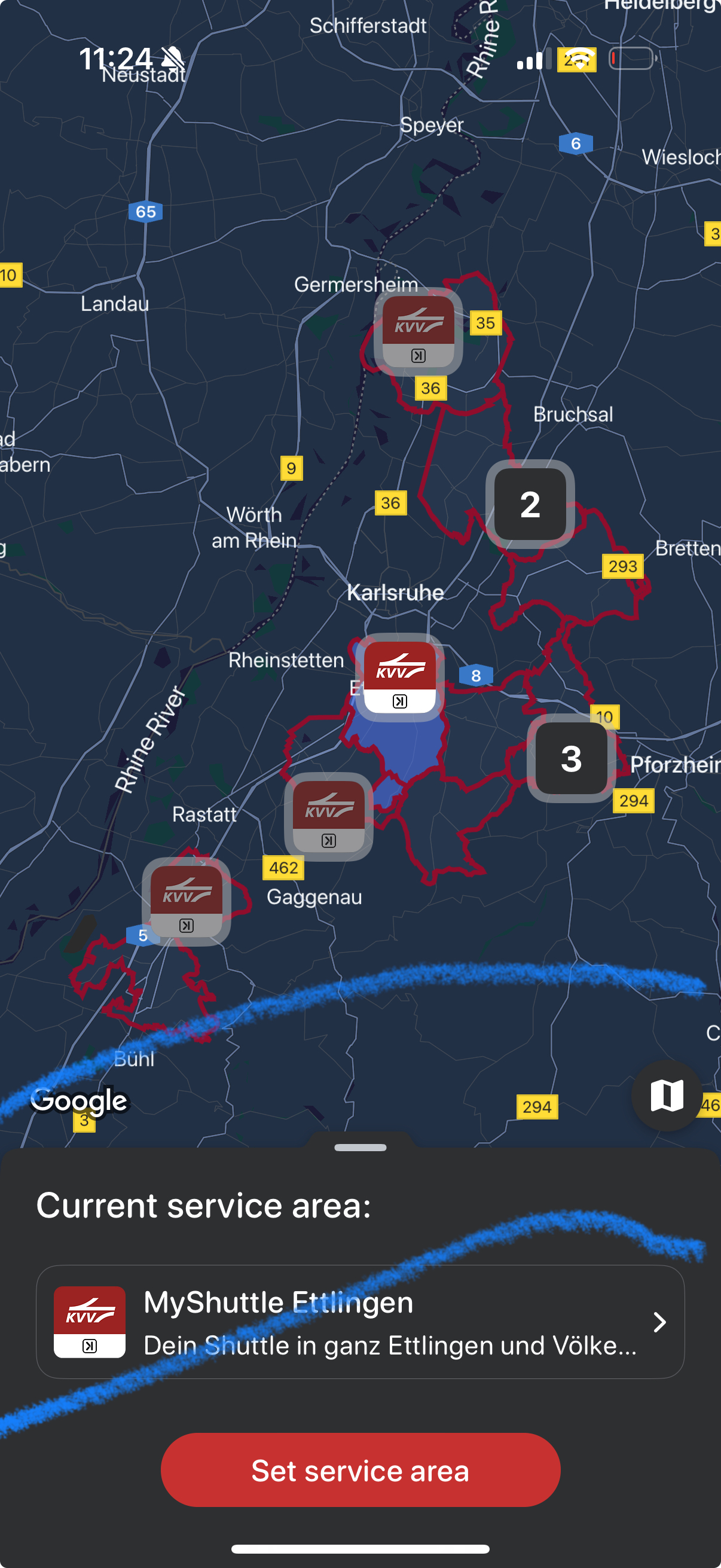
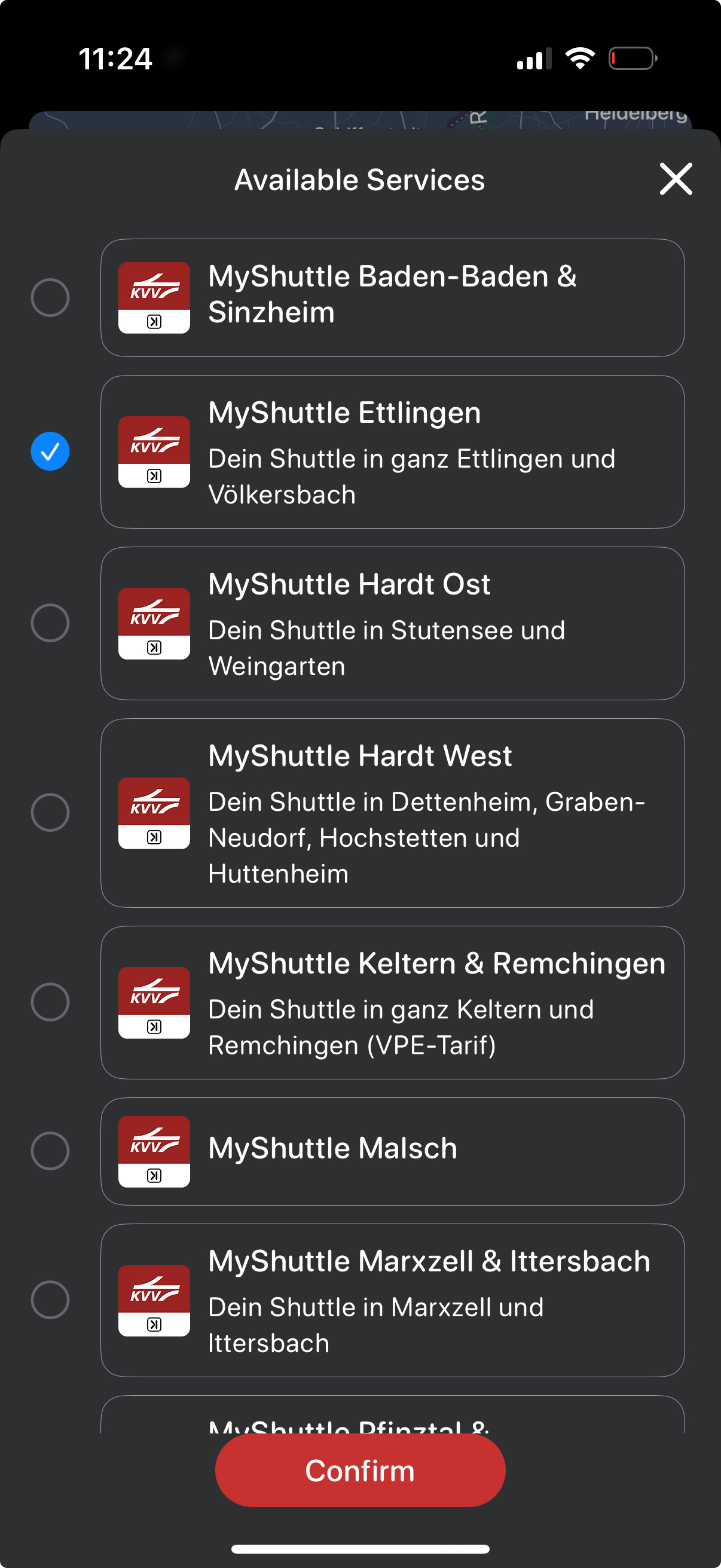
The display of service areas on the map has been enhanced to ensure clear visual distinction, even when areas overlap. Logos now act as the primary visual indicators, preventing long names from reducing map clarity. Selecting a service highlights the corresponding area on the map, enabling intuitive navigation. When zoomed out, areas are grouped into clusters; zooming in reveals individual areas, with overlapping regions clearly differentiated. When a service area is selected, the full name is shown in the lower panel. This panel also provides access to a list of all available services, including logo and name.
ioki Vehicle App
Redesigned destinations menu
We’ve completely revamped the destinations menu for a more intuitive experience. This includes:
- A redesigned slider for easier navigation.
- Improved arrangement of active tasks.
- Updated buttons on each task for clear actions.
- Refined destination headers for better readability.
Encrypted notifications
We’ve prioritized your privacy by implementing encrypted notifications. Now, also when you receive a notification while the app is closed, the content won’t be visible until you open the app and interact with it. This ensures that sensitive information remains protected.
App name update
The app name on the splash screen has been updated to “VEHICLE” to align with its current branding in stores.