May 2024
⚠️ Important changes in the ioki Vehicle App
- The “App Center” will be closed on June 1, 2024. After that, the ioki Vehicle App can only be downloaded via the Google Play Store and the Apple App Store.
- For the latest version of the ioki Vehicle App, at least Android 9 is required.
ioki Vehicle App
Migration to store release and minimum version 2.19.0
- As already announced at the beginning of the year, the ioki Vehicle App is now available for download in the Google Play Store and Apple App Store.
- Microsoft has informed us that the “App Center” will be discontinued at the beginning of 2025.
- We will therefore no longer support “App Center” in the foreseeable future and will close our account there on June 1, 2024.
- When the account is closed, it will no longer be possible to log into the “App Center” and the ioki Vehicle App can therefore no longer be downloaded from there.
- On June 1, 2024, the new minimum version of the ioki Vehicle App will be set to 2.19.0. Therefore, please ensure that all devices have the corresponding version or higher installed.
- Version 2.19.0 is already available in the stores.
Minimum Android OS version 9
- As announced in January 2024, we have set the minimum version of the ioki Vehicle App for Android OS to version 9.
- This means that a device with at least this version is required to install and start the app.
ioki Passenger App
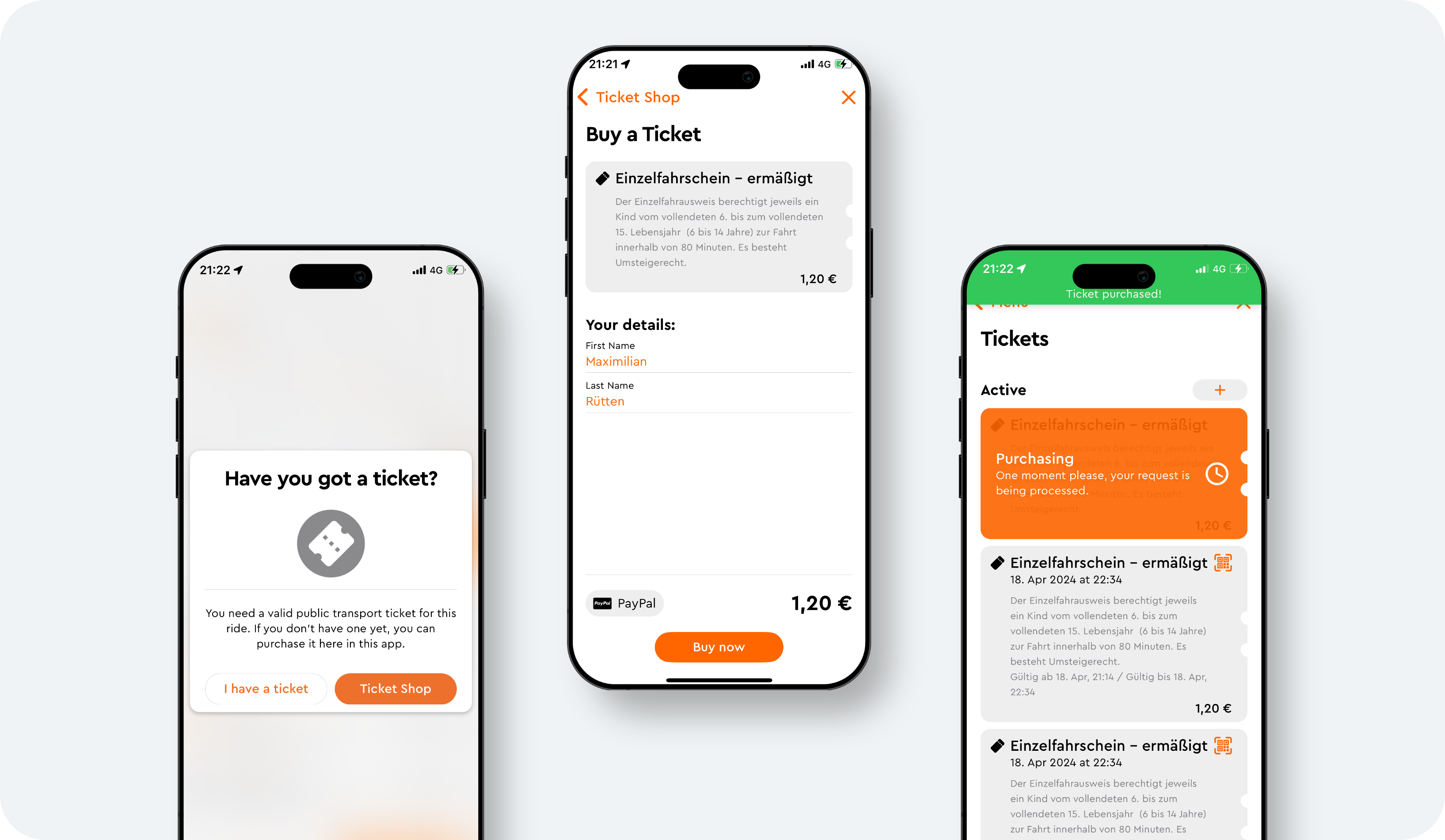
Public transport ticketing
- Often a public transport ticket is required for traveling with an on-demand service.
- These can now be purchased fully integrated via the ioki Passenger App.
- From day tickets to seasonal passes, all tickets can be integrated by using the Mobilitybox from our partner Vesputi.
- If you are interested, please contact your Account Manager.
Subcontractor and operator management
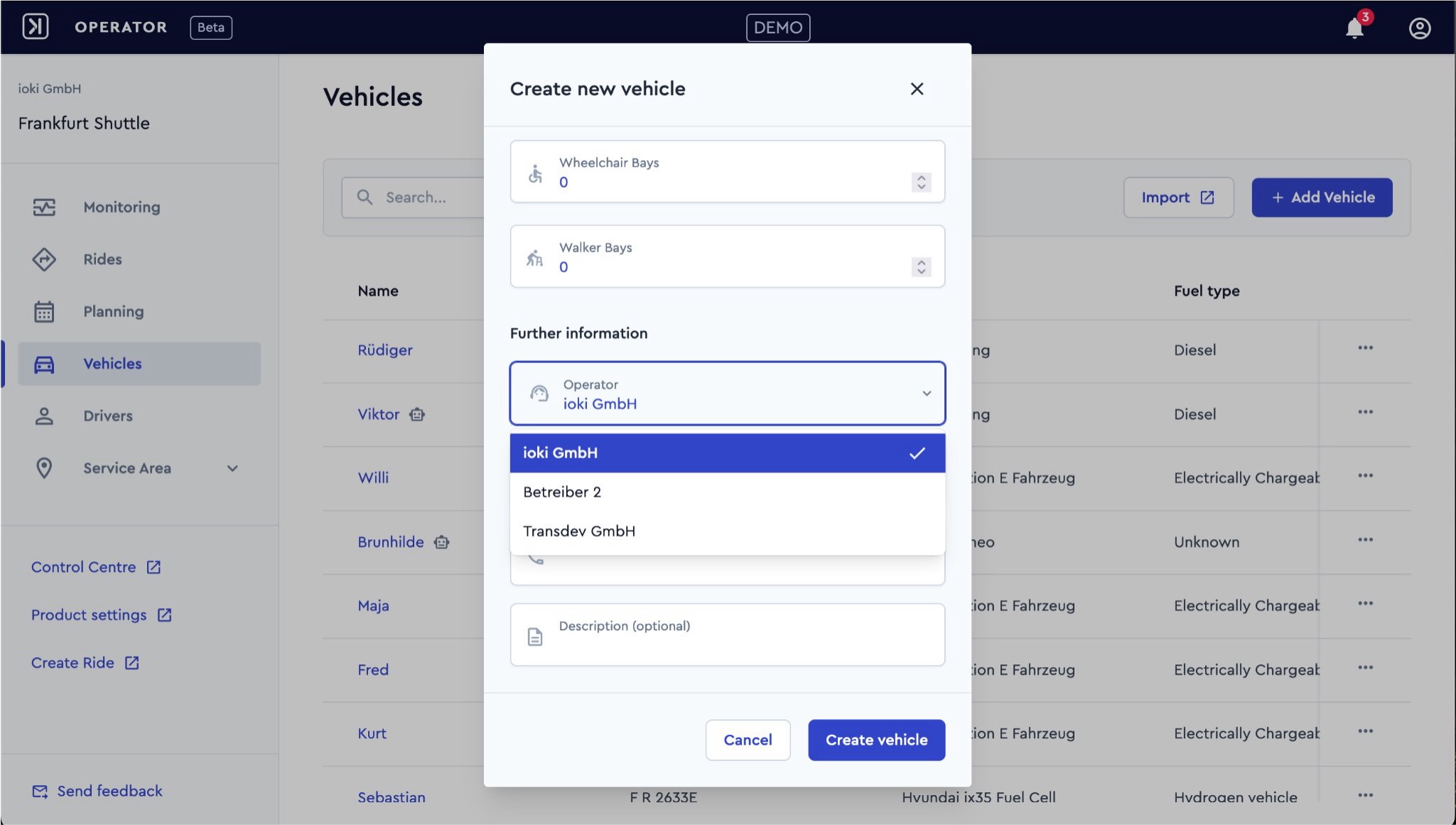
The ioki Platform fully supports subcontractor structures with the help of “operators”.
- External operators, e.g. a taxi company, can be created for each provider.
- Every vehicle and every driver must be assigned to an operator.
- The role and rights management ensures that subcontractors only see the information they need, such as vehicle planning and journeys with their own vehicles.
This allocation can also be used afterwards for invoicing via the reporting system.
- Operators are fully integrated into existing functions, such as the matching ranks feature.
This allows cost intensive, external providers to be planned with a higher matching rank by default. As a result, their capacities are only utilized when the company’s own vehicles are fully utilized.
- If you are interested in using this feature, please contact your Account Manager.
ioki Operator
More details for rides
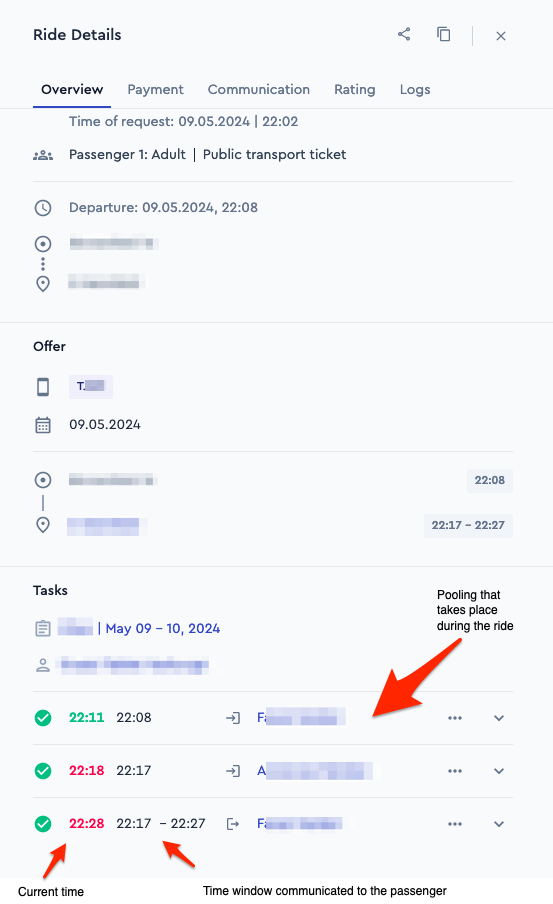
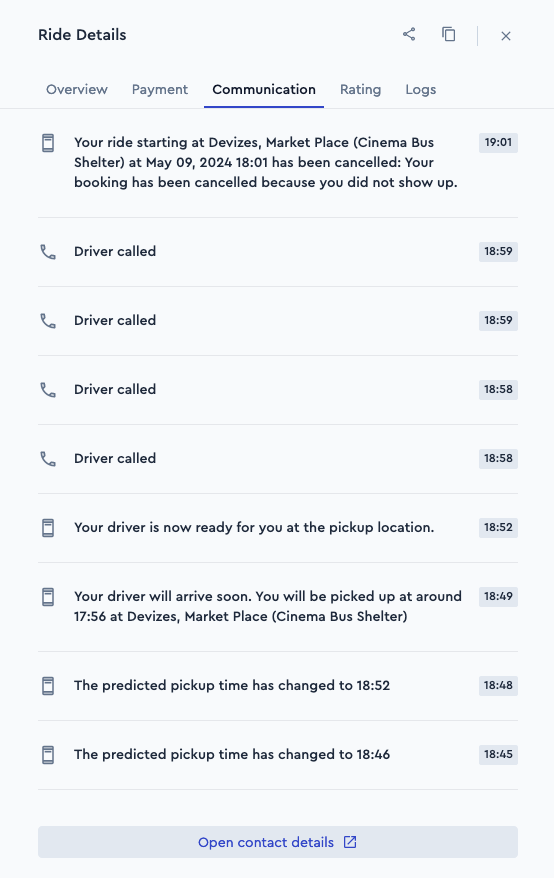
The ride details have been expanded in the ioki Operator. What‘s new?
- The communication that has taken place with the passenger in connection with the ride is displayed (e.g. notifications, emails or calls).
- Poolings are now visible in the ride details
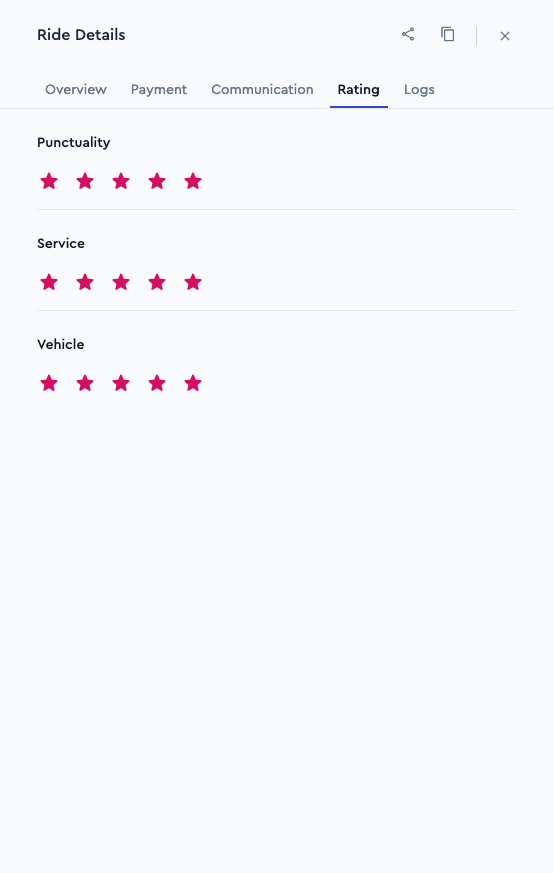
- Customer ratings can be viewed.
- Integration of book a return journey and copy a ride.
The display of times and delays has also been improved.
Further changes
- New languages: The ioki Passenger App now also supports Danish, Ukrainian and Turkish.
- Maximum walking distance:
- Individual values can now be defined for pick-up and drop-off.
- This allows finer control of which walking distances are acceptable for the passenger.
- For change requests, please contact the support or your Account Manager.
Share ride info
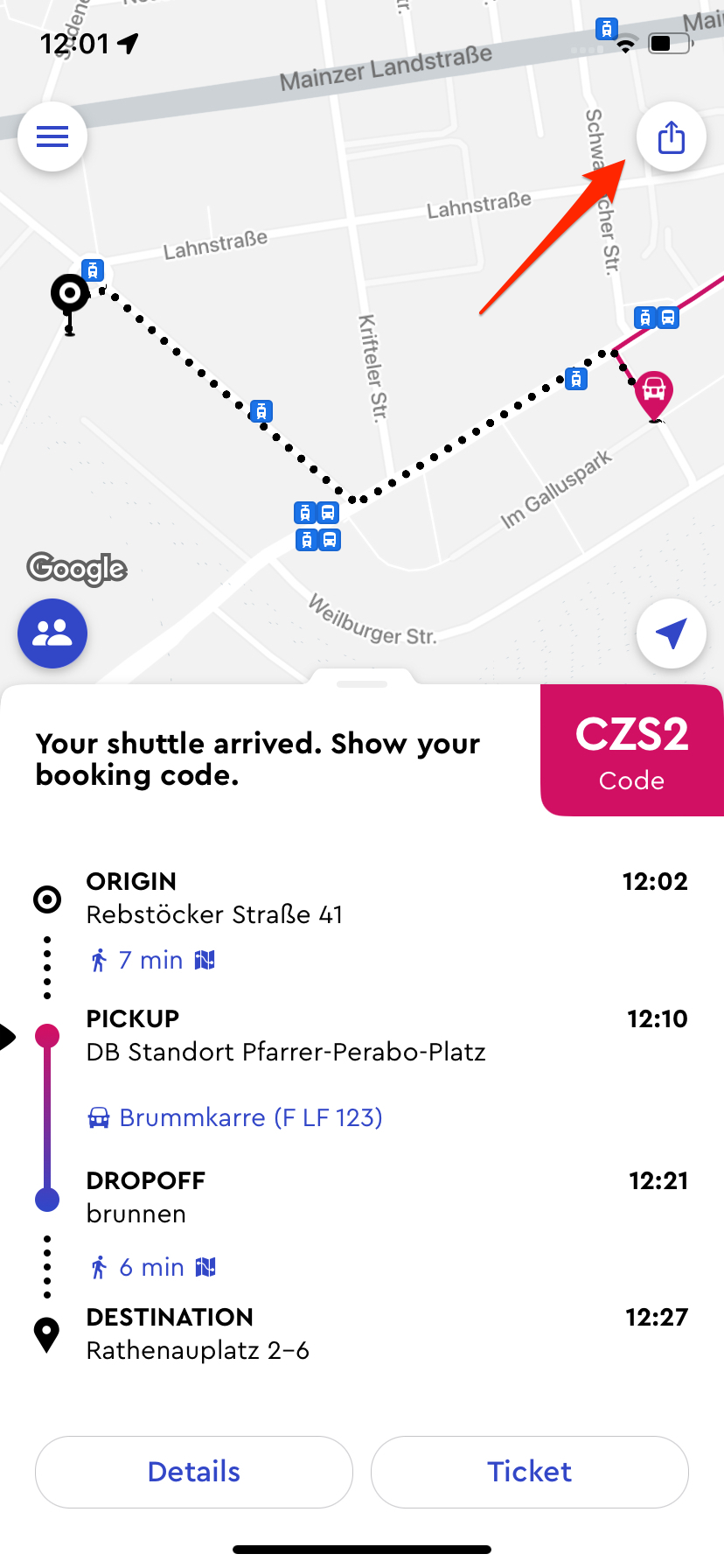
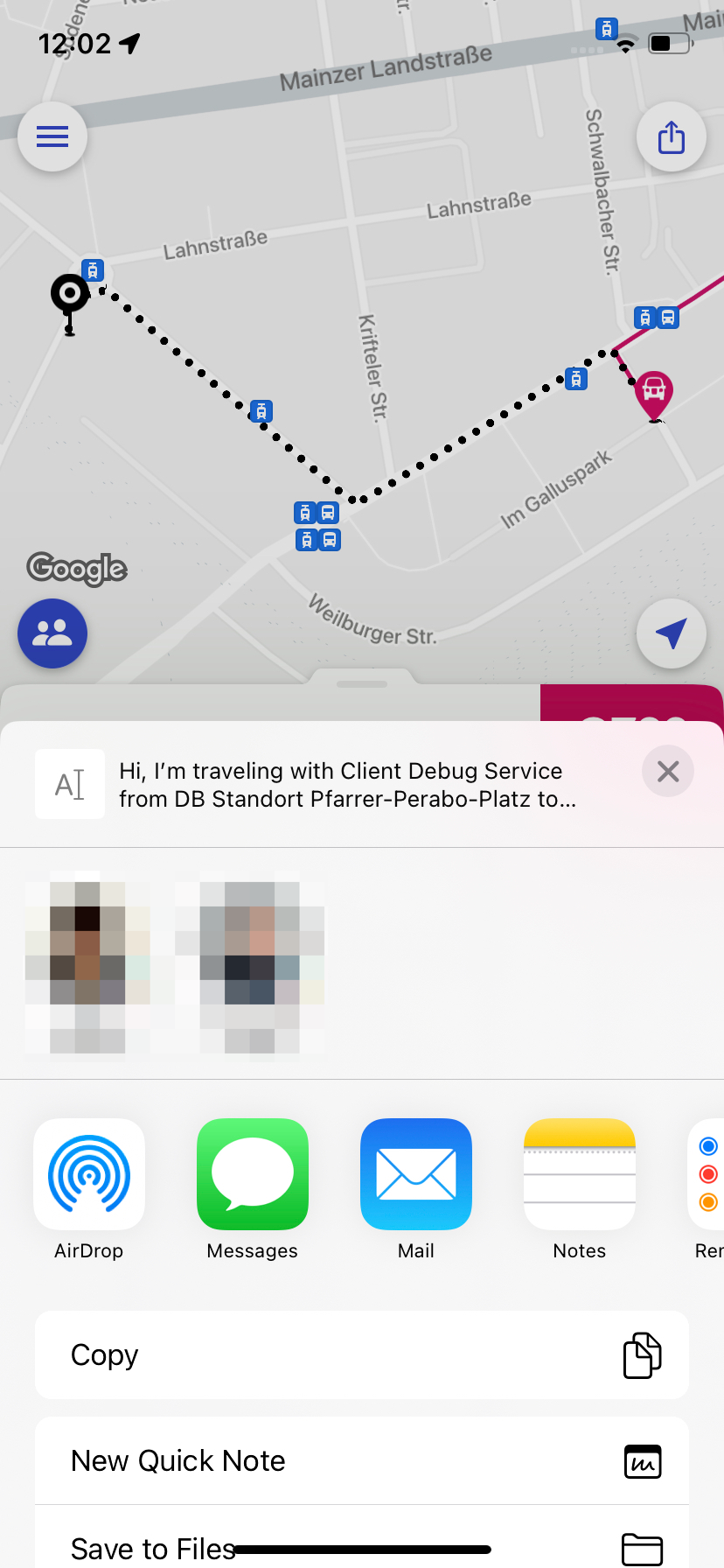
Passengers can now share their ride details (vehicle and estimated arrival time) with other people, e.g. via WhatsApp.
Information about stops
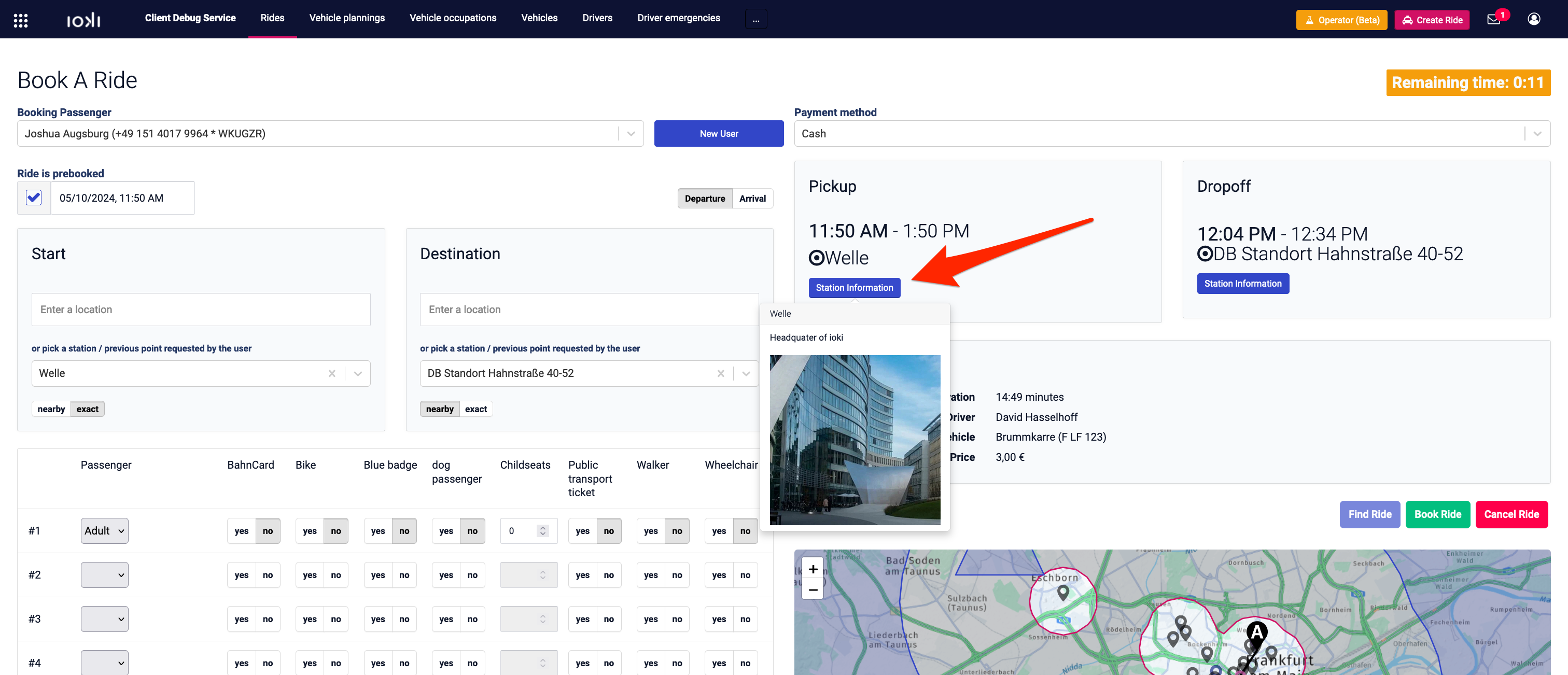
- Phone booking in the Control Center now shows information about the stop (image and text).
- This helps to explain to the caller where to find the virtual stop.
- This builds on an existing feature that displays the image and description of the stop in the ioki Passenger App.
- This data can be managed for each stop in the Control Center and in the ioki Operator.
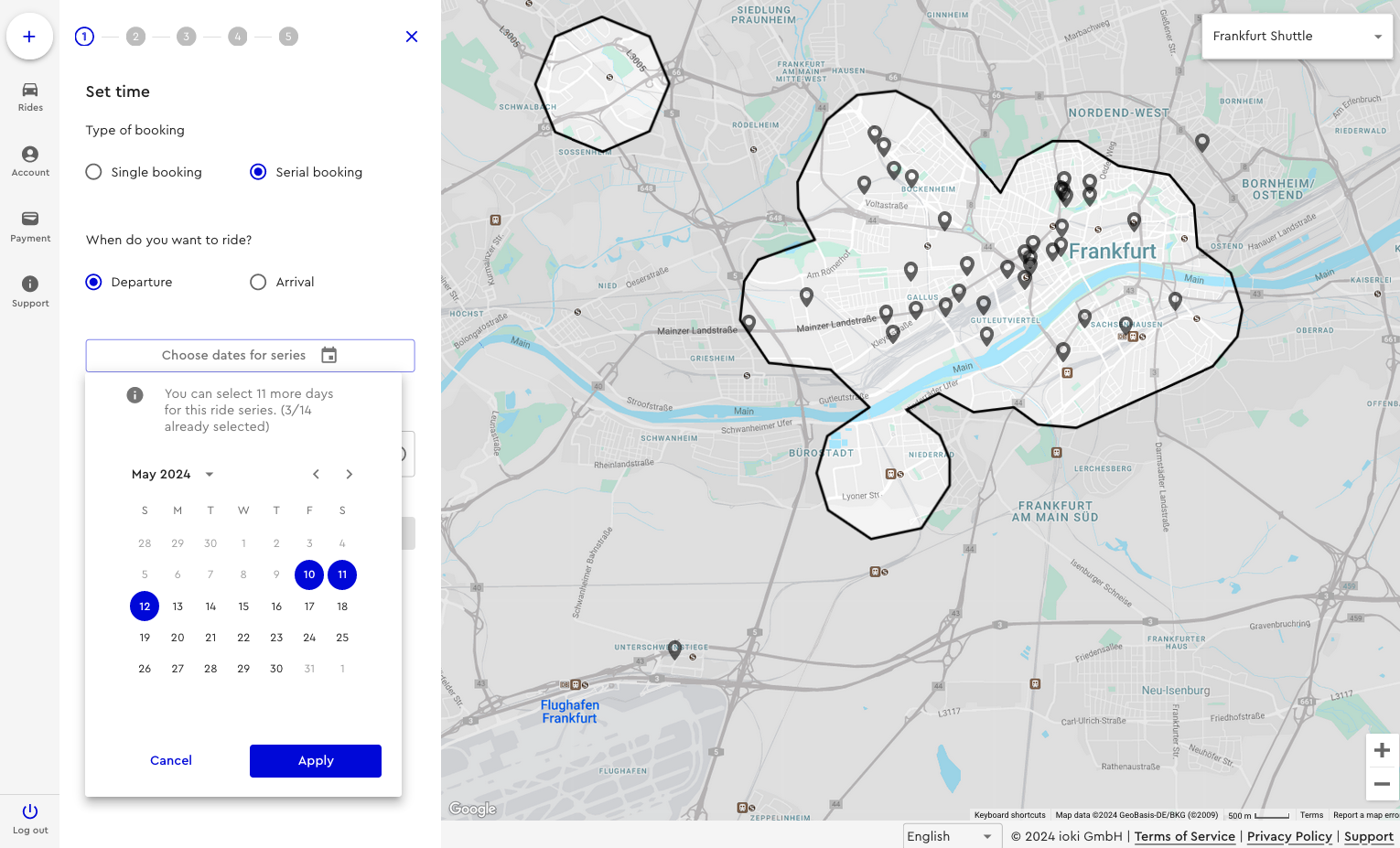
Serial booking in Web Booking
The serial booking function is now also available for Web Booking.
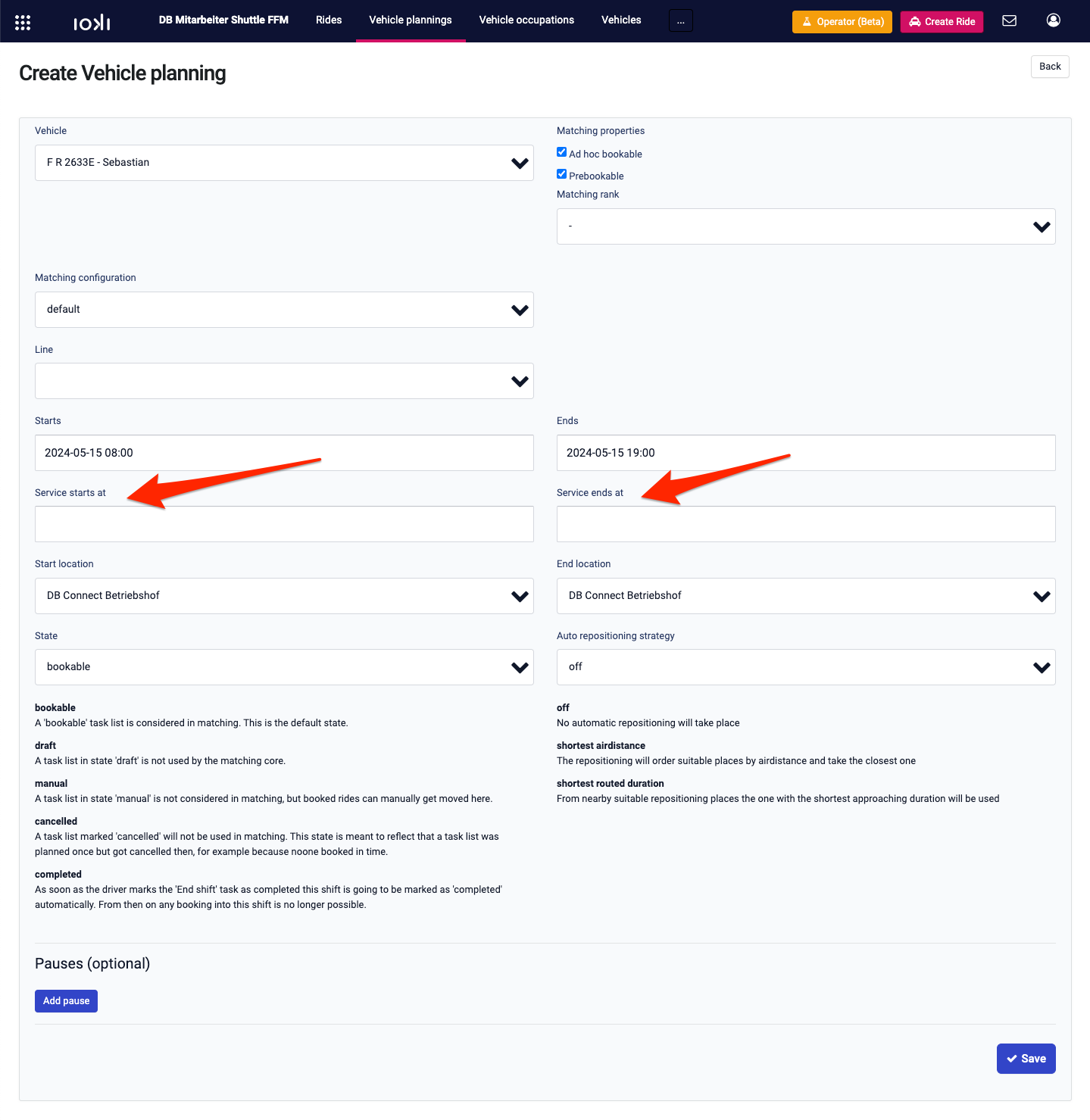
Starting time of service
- The shift starting time in the vehicle planning and the ride booking of passengers used to go hand in hand.
- From now on, the starting time of a service can be specified for each vehicle planning. This can be optionally selected by the operator.
- This allows journey times to be taken into account.
- Example:
- A large service area; the depot is on the outskirts of the area.
- The driver registers at 5:30 a.m. and starts the shift.
- The service can be booked from 6:00 a.m.
- As the driver is already registered, a booking can now be accepted at the other end of the service area for 6:00 a.m., as the journey to get there can take place between 5:30 a.m. and 6:00 a.m.