
May 2025
ioki Operator
Display vehicle’s upcoming task route on map
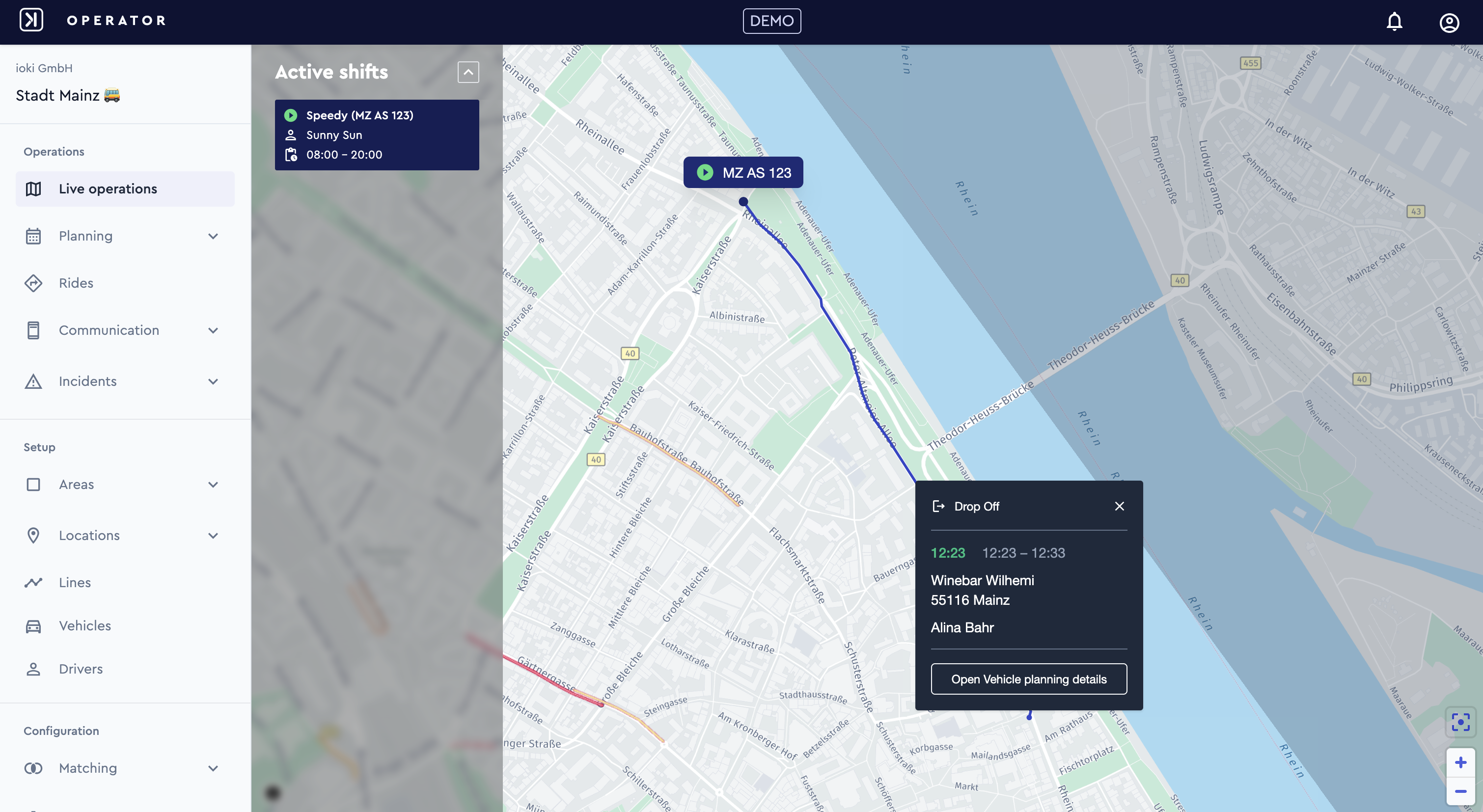
Operators can now view the route to the next task by clicking on a vehicle in the Monitoring View. Clicking on a moving vehicle opens a zoomed-in view showing the route and a popover with task details – including task type, times, location, and passenger name (if applicable). The popover also contains a link to the vehicle’s planning details.
Enhanced ride search – today’s and upcoming rides
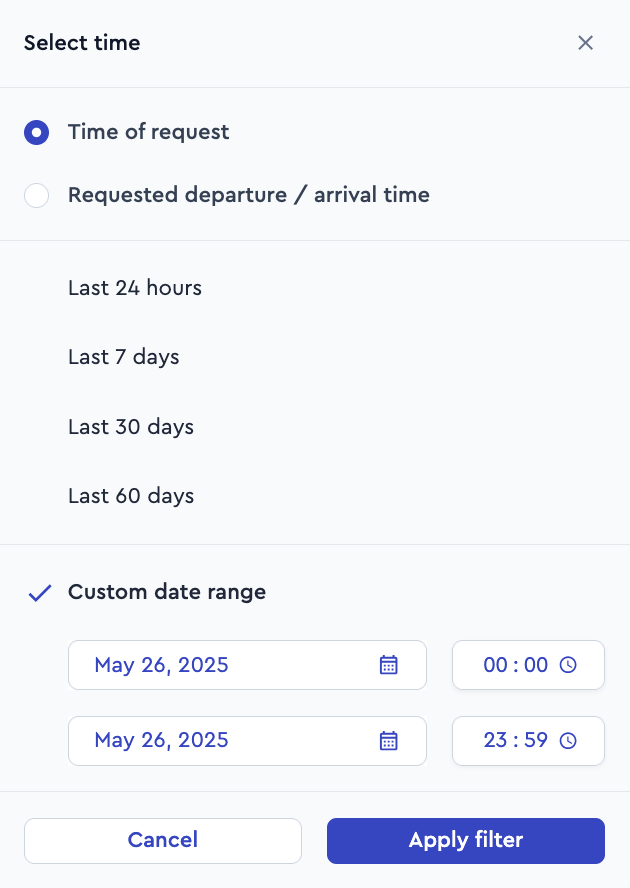
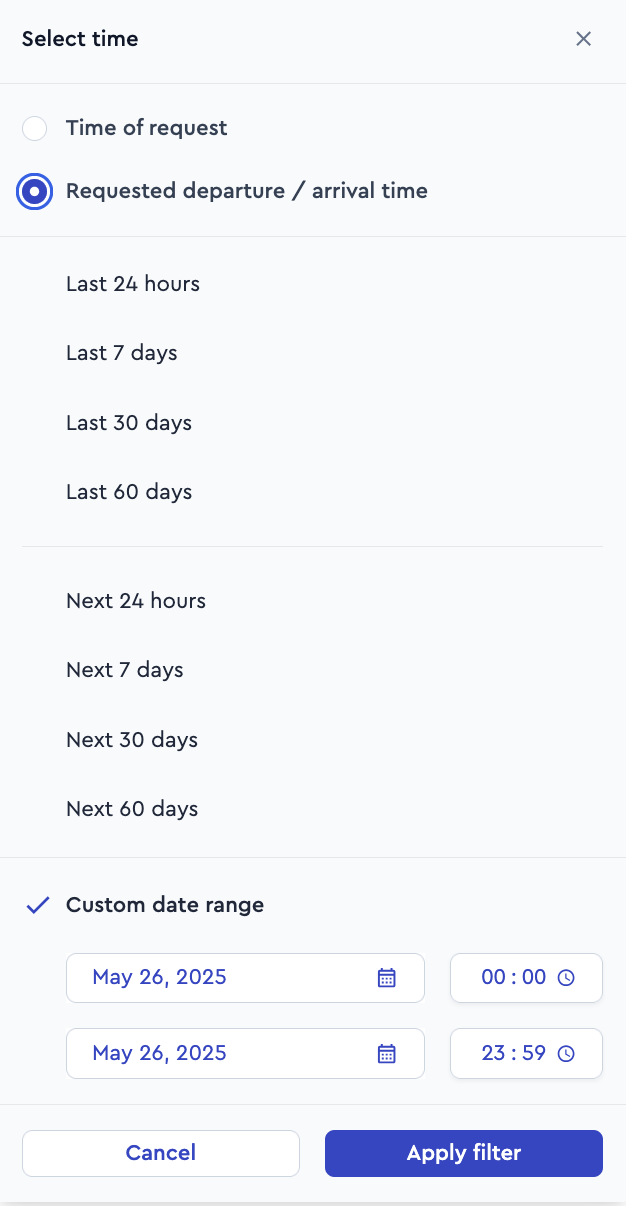
Operators can now search not only past rides but also today’s and upcoming scheduled rides, making it easier to manage and oversee operations proactively. Filtering is based on both the ride’s creation time (Time of request) and the scheduled request time (Requested departure/arrival time). To distinguish rides more accurately, operators may add the Ride State as an additional filter.
Time Filters for ride search:
- Today’s and tomorrow’s rides (next 24 hours)
- Next 7 days
- Next 30 days
- Next 60 days
- Past Rides (last 24 hours, 7 days, 30 days, 60 days)
- Custom Date Range
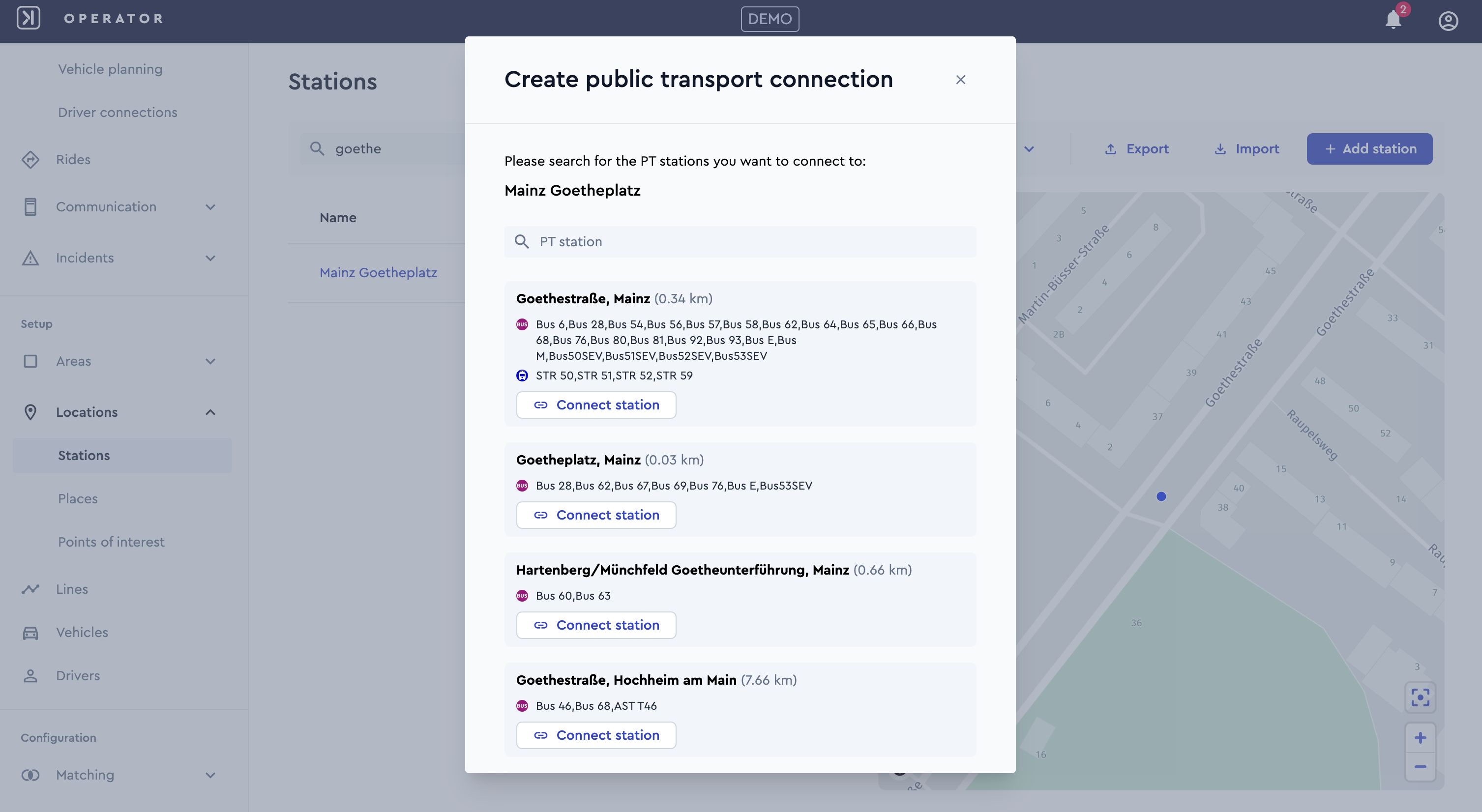
Linking public transport station
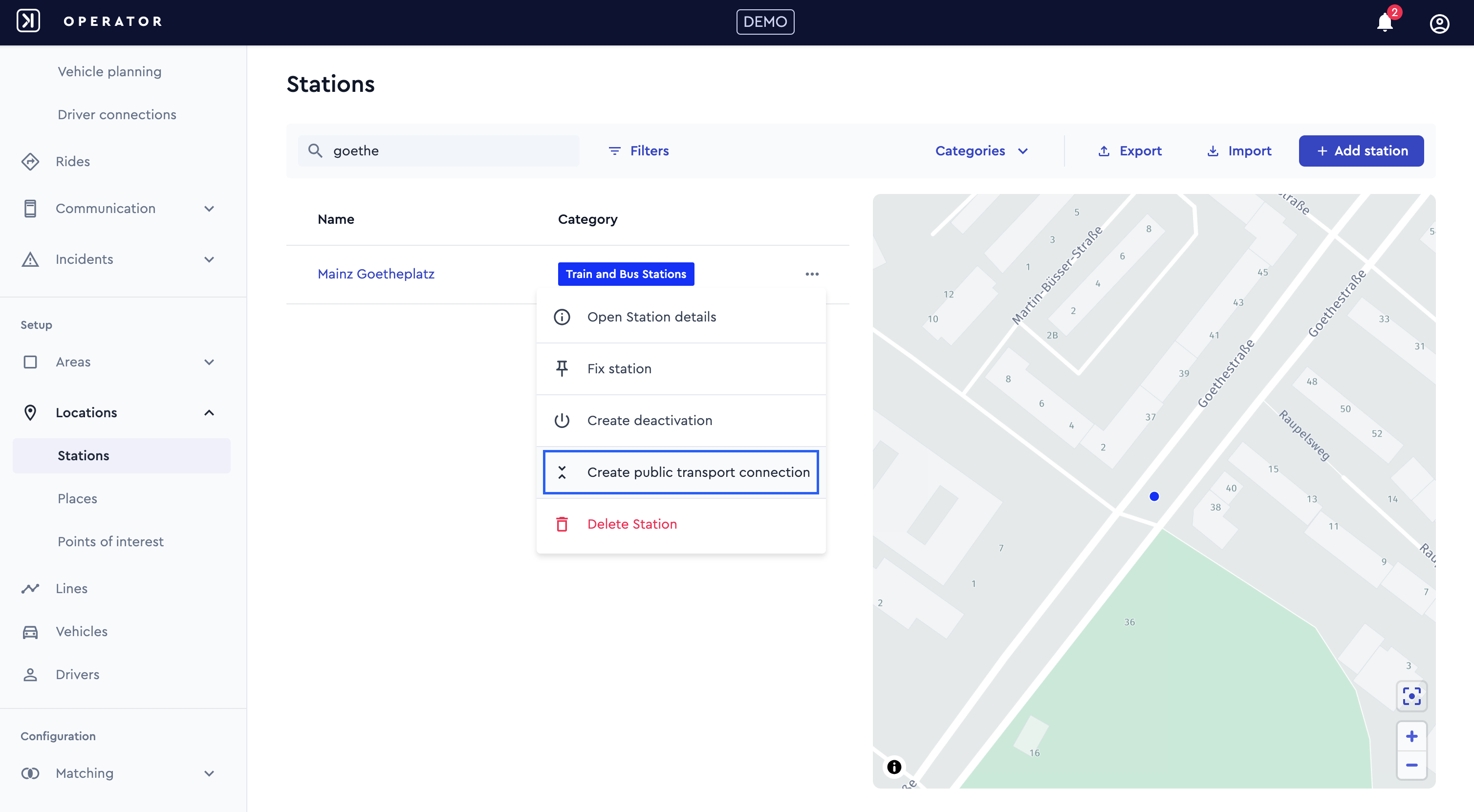
You can now enhance your station setup by linking relevant public transport (PT) stations—making multimodal travel even more seamless for your passengers.
Key Features:
- Search & Suggest. PT stations from integrated PT data can now be searched and are suggested to the user.
- Station Selection. Users can select a PT station from a list of nearby suggestions.
- Easy Removal. Added PT connections can be disconnected at any time if no longer relevant.
- Departure Information. Once linked, departure times from the connected PT station are available to enrich the mobility experience.
ioki Passenger App
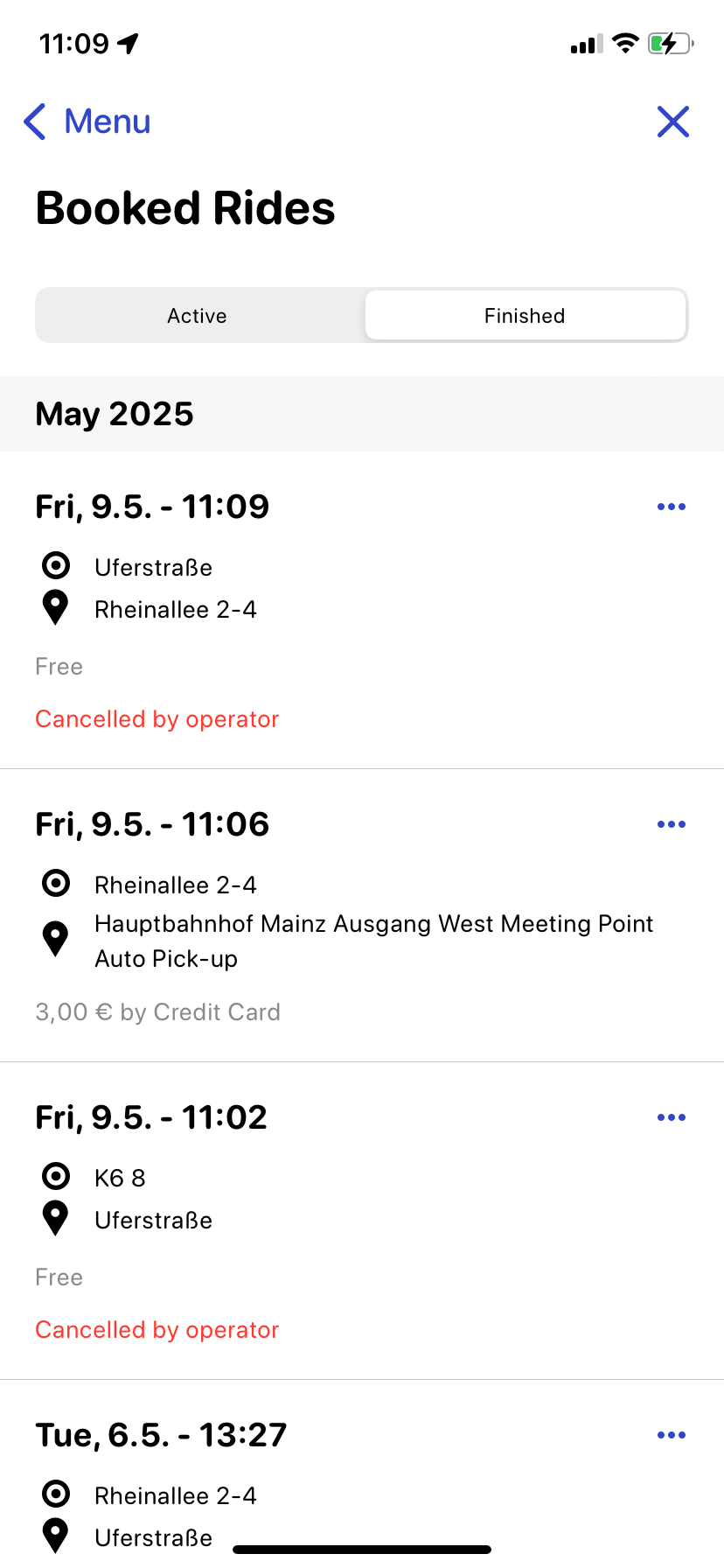
Canceled rides visible in booked rides section
Rides canceled by the operator now remain visible in the Booked Rides section of the ioki Passenger App and are clearly marked with a red label: “Canceled by Operator.”
This gives passengers full transparency and allows them to easily track all their bookings—even those that didn’t take place as planned.
Dynamic rating options
The passenger rating experience at the end of each ride is now intelligently tailored based on the type of vehicle used. The system automatically identifies whether the vehicle is autonomous or driver-operated and dynamically adapts the star rating questions.
- Driver-Based Vehicles. Passengers are presented with feedback questions specifically relevant to human-driven rides (e.g., Driver satisfaction).
- Autonomous Vehicles. Passengers receive questions tailored to autonomous journeys (e.g., Autonomous journey satisfaction, Perceived safety).
This ensures that the operator receives relevant and accurate insights based on the actual vehicle type.
Do you have any questions or need further information? Simply contact your account manager.
ioki Vehicle App
Seamless payment method management
In certain situations, updates to passenger information can change a ride from being free of charge to a payable one. A common case: the passenger is unable to present a valid PT ticket or Deutschlandticket at pickup—tickets that would otherwise qualify them for a free DRT ride. In such scenarios, the related passenger option must be deactivated, and the fare increases from 0 € to a payable amount.
To support these real-world scenarios, drivers are now able to update a passenger’s payment method directly within the app—under specific conditions:
- The passenger has no payment method assigned,
- the ride becomes payable due to a passenger update, or
- the passenger had originally selected in-vehicle payment (cash or card).
Do you have any questions or need further information? Simply contact your account manager.