
April 2026
ioki Operator
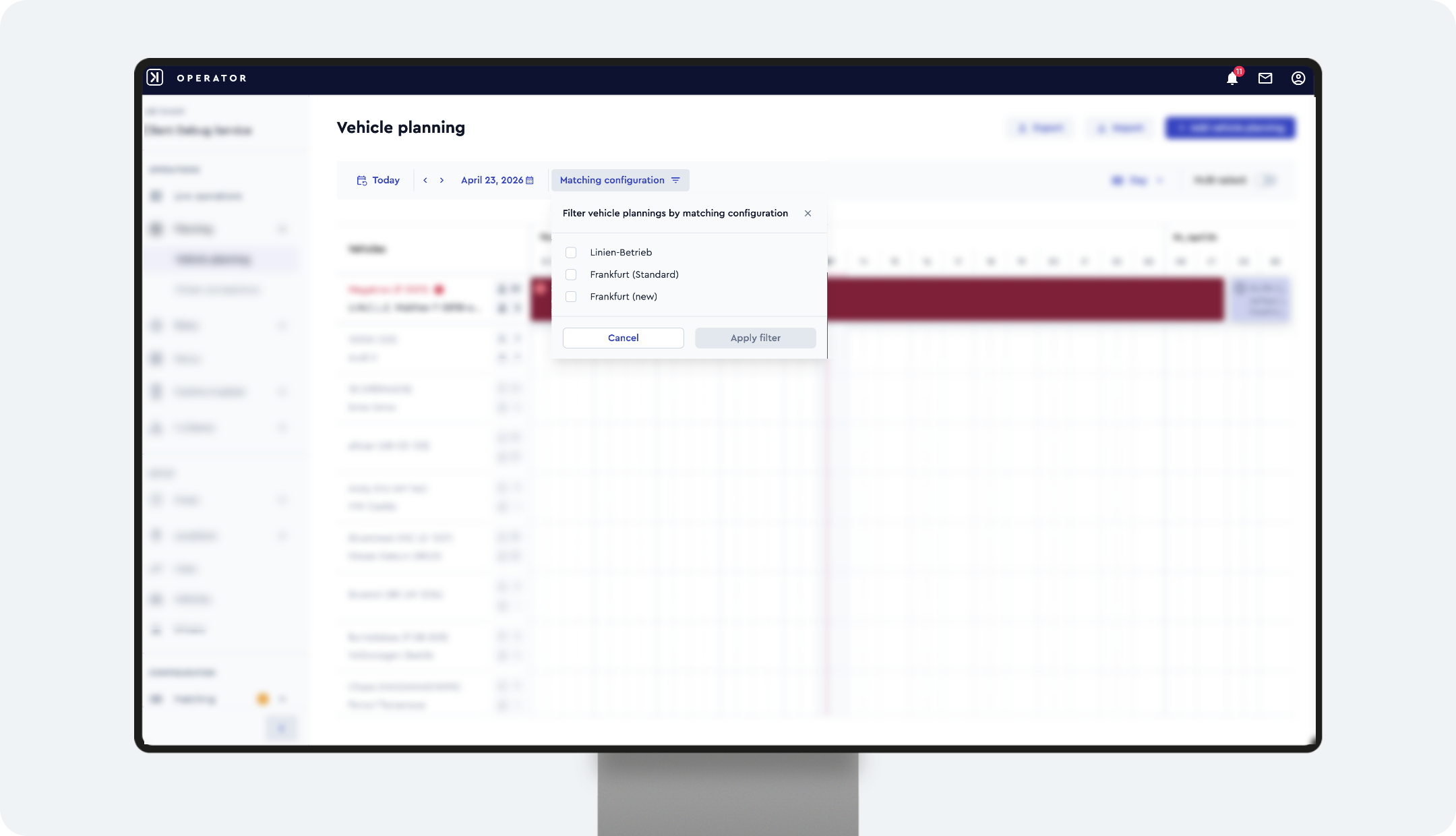
Filter vehicle plannings by matching configuration
Vehicle plannings can now be filtered by matching configuration. This makes it easier to monitor and manage operations across multiple service areas within a single product.
Why this matters
- ✓ Better overview of vehicle deployment across subdivided service areas
- ✓ Easier identification of gaps or overlaps
- ✓ Improved control for multi-area operations
How it works
- Open the vehicle planning view
- Use the Matching configuration filter
Result
A clearer overview of vehicle deployment across multiple service areas – enabling more efficient planning.
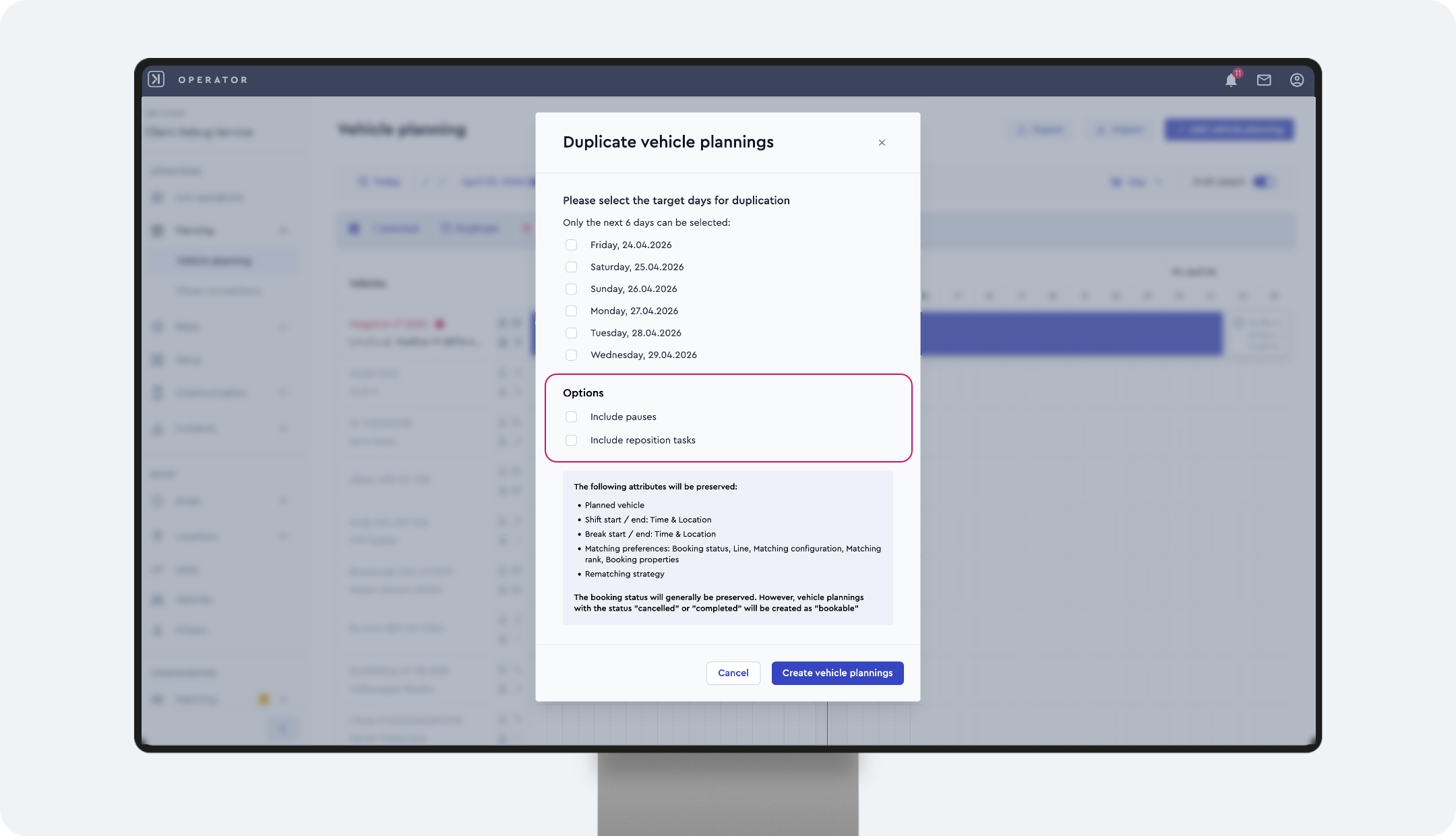
Update: extended options when duplicating vehicle plannings
When copying shifts, you can now decide whether breaks and repositioning tasks should be included. Both options are disabled by default and can be selected independently.
Result
More control when copying shifts and reduced manual effort.
New role for controlled access to user data exports
The new provider role User Data Reporter enables exporting user data with minimal required permissions.
Why this matters
- ✓ No need for full admin rights
- ✓ Better compliance for handling sensitive data
Result
Secure and controlled access to sensitive user data with improved compliance.
ioki Passenger App
More detailed and relevant location information
Locations are now displayed more clearly, and search results are more relevant for users. This makes them easier to understand and quicker to find.
Why this matters
- ✓ Clearer pickup and drop-off locations in booking summaries and ride views
- ✓ Reduced ambiguity, especially in rural areas or for commonly used street or POI names
- ✓ Only relevant results within the service area are shown
- ✓ Faster and more intuitive results during booking
What changed
- ✓ Start, pickup, drop-off, and destination locations now include the city name (e.g. “Frankfurt am Main”)
- ✓ Location search results are restricted to the surrounding service area, including the intermodal service area
Result
A clearer, more relevant, and user-friendly location display with fewer ambiguities – enabling a faster and smoother booking experience.
ioki Booking
Changes to roles & permissions
For customers without custom roles
The product role Product Booking Agent is sufficient to use ioki Booking. However, no new users can be created during booking.
To create new users in ioki Booking, the provider role User Manager must also be assigned.
For customers with custom roles
The permissions create_users and read_purchases are no longer required on product level.
Instead, the permission create_users is now required on provider level. For this, a new custom provider role must be created.
In addition, the provider role User Manager must be assigned.