
September 2024
ioki Operator
Onboarding information for drivers
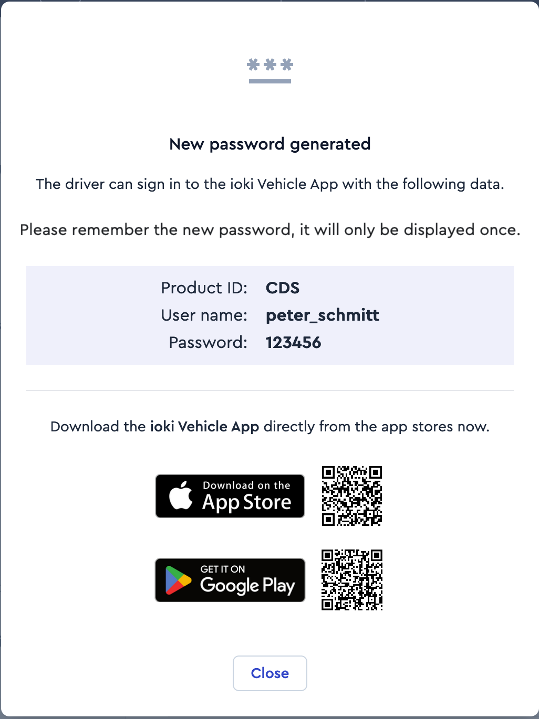
Onboarding information is provided for new drivers. This allows them to get started quickly and easily.
- As soon as new driver profiles have been created in the ioki Operator, all the required information is displayed at a glance.
Communication
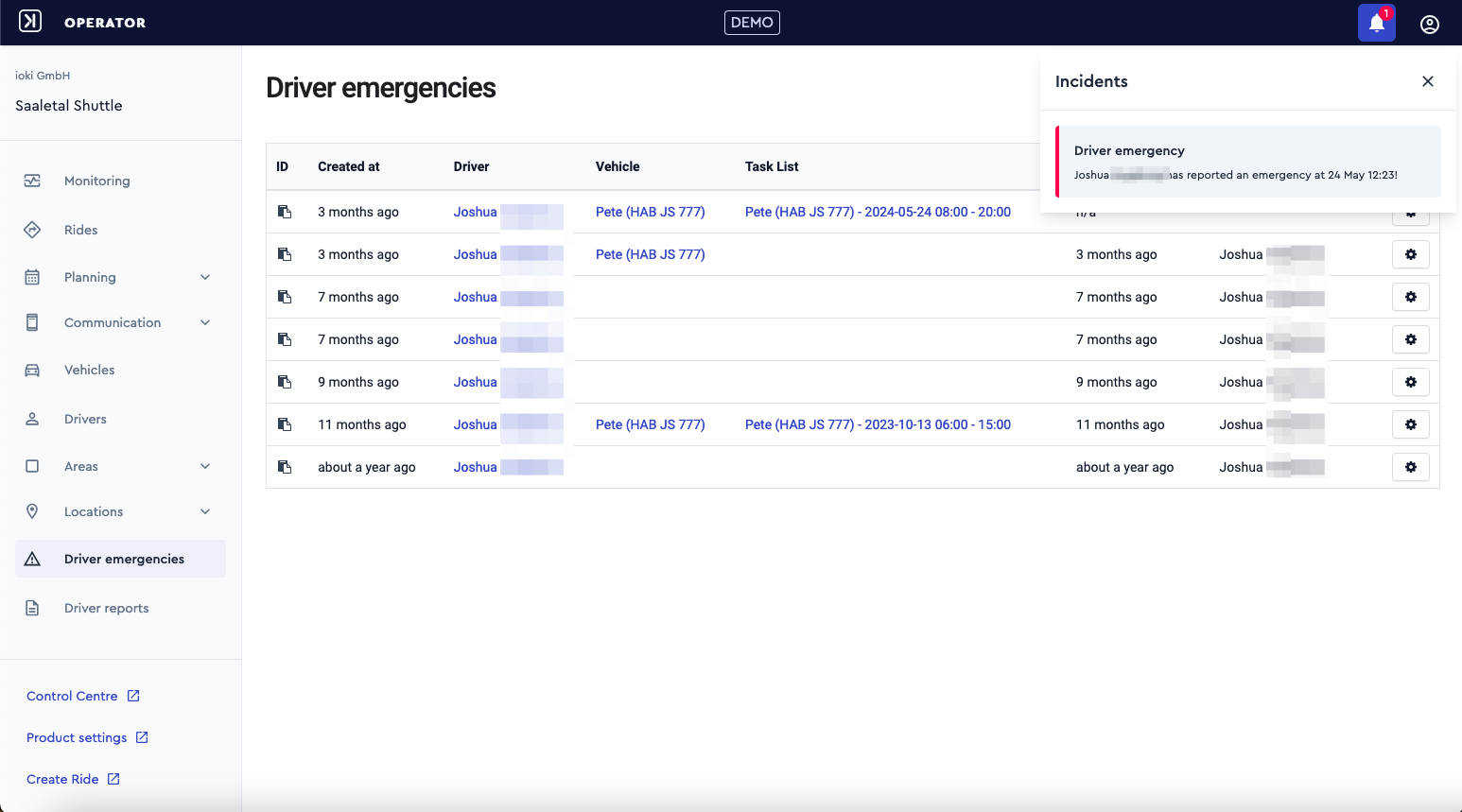
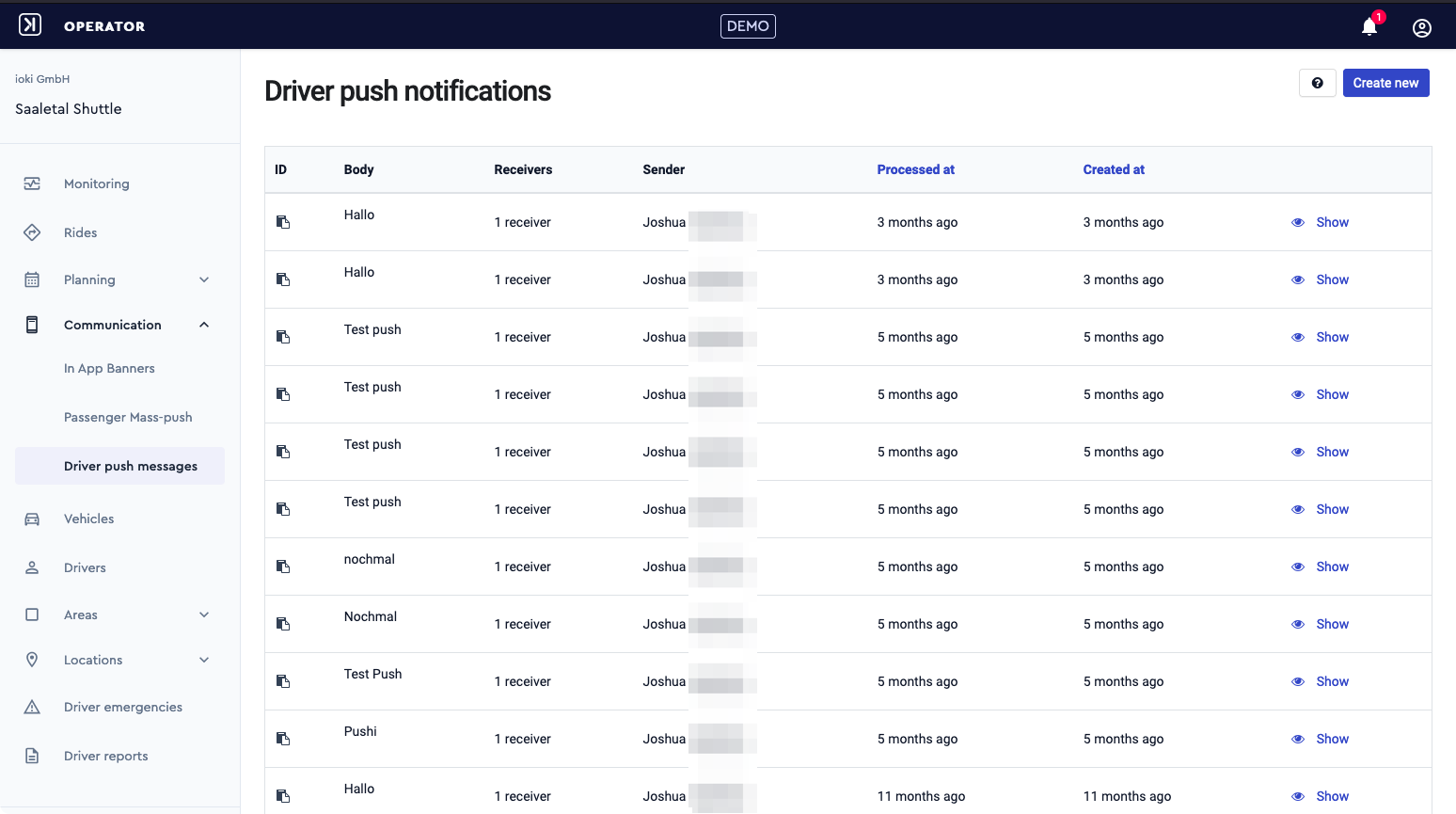
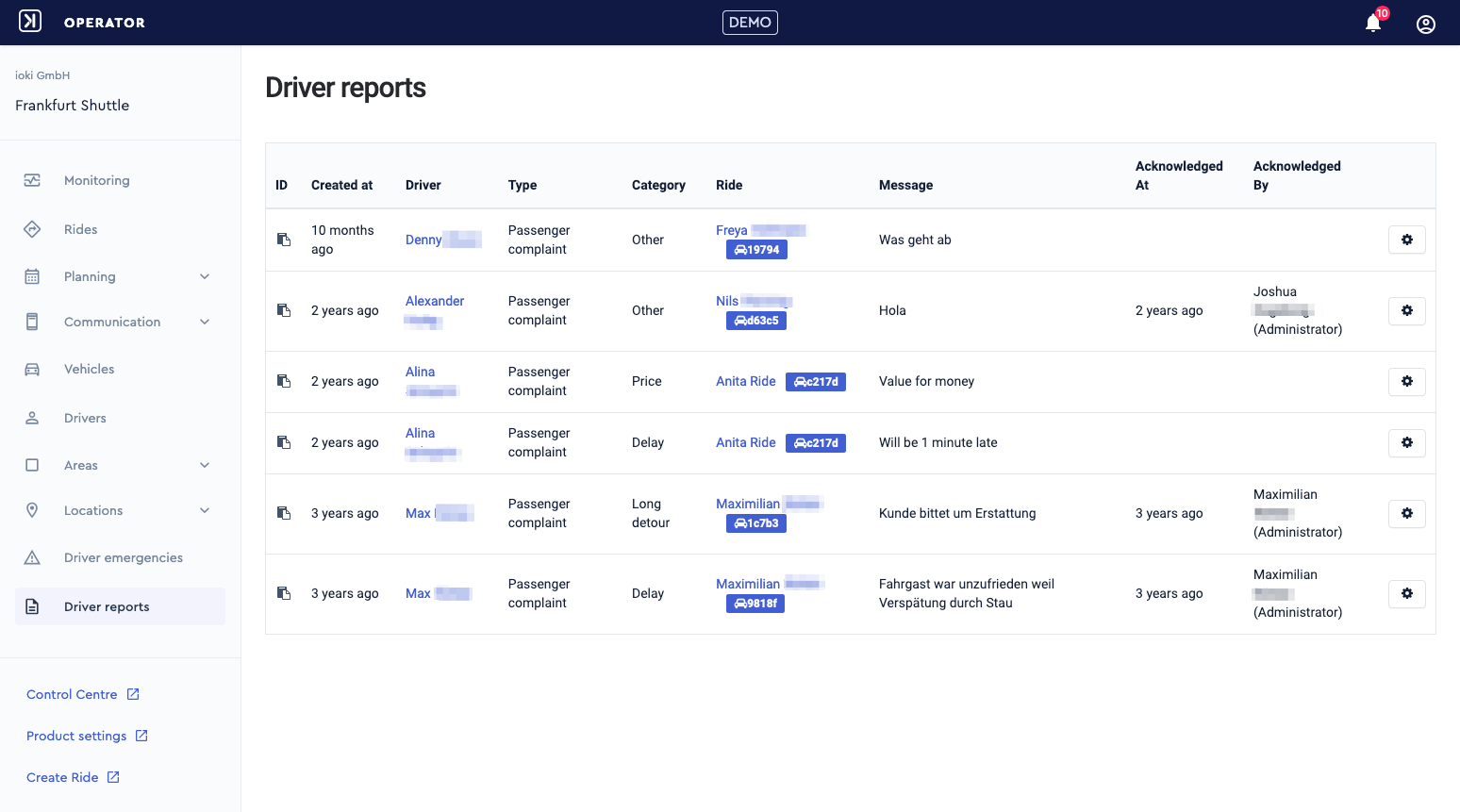
The following functions from the Control Center have been transferred to the ioki Operator:
Driver emergencies
Driver push notifications
Driver reports
Dispatch handling
Improvements in dispatch handling:
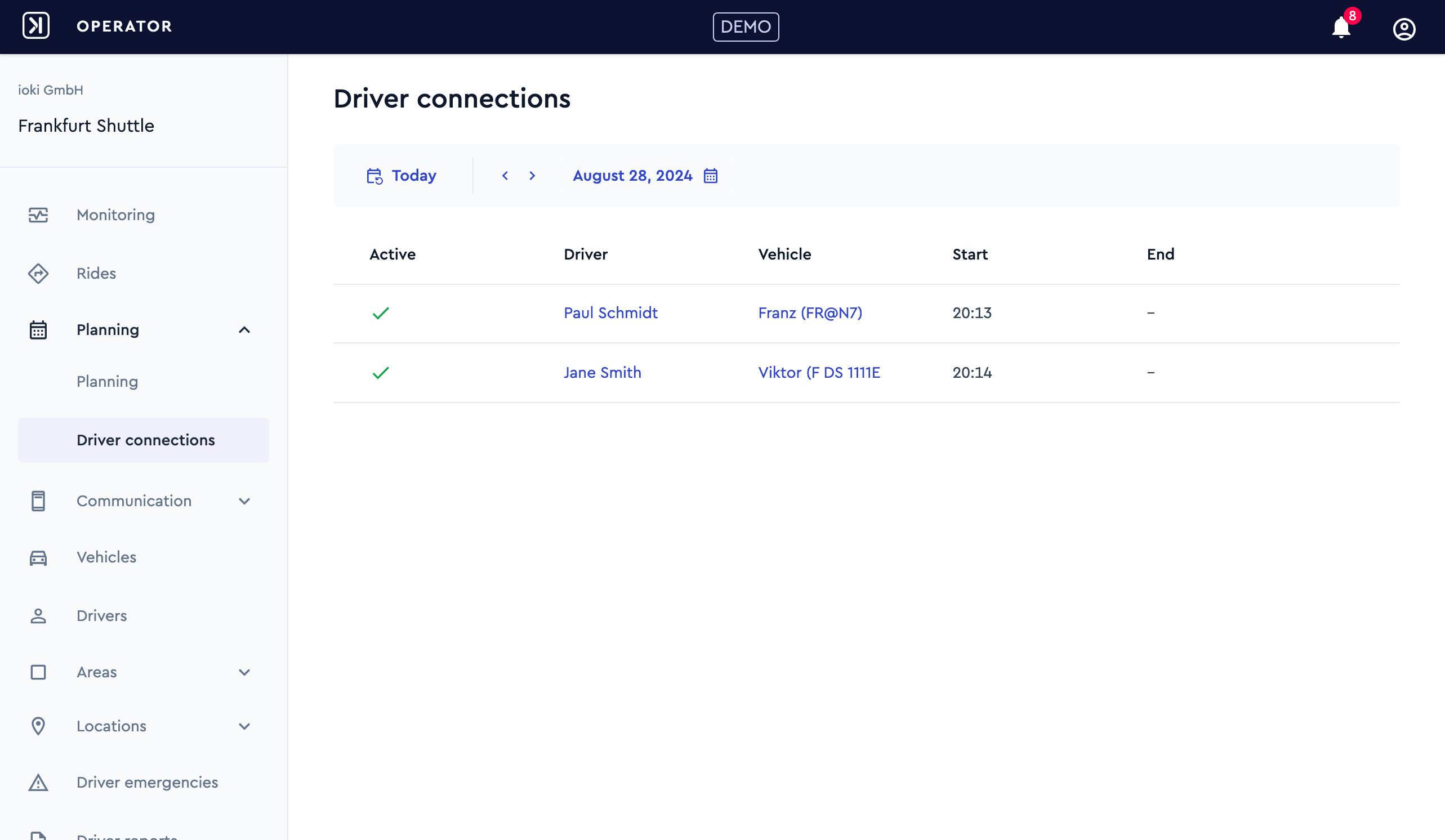
Overview of driver check-ins
Service times
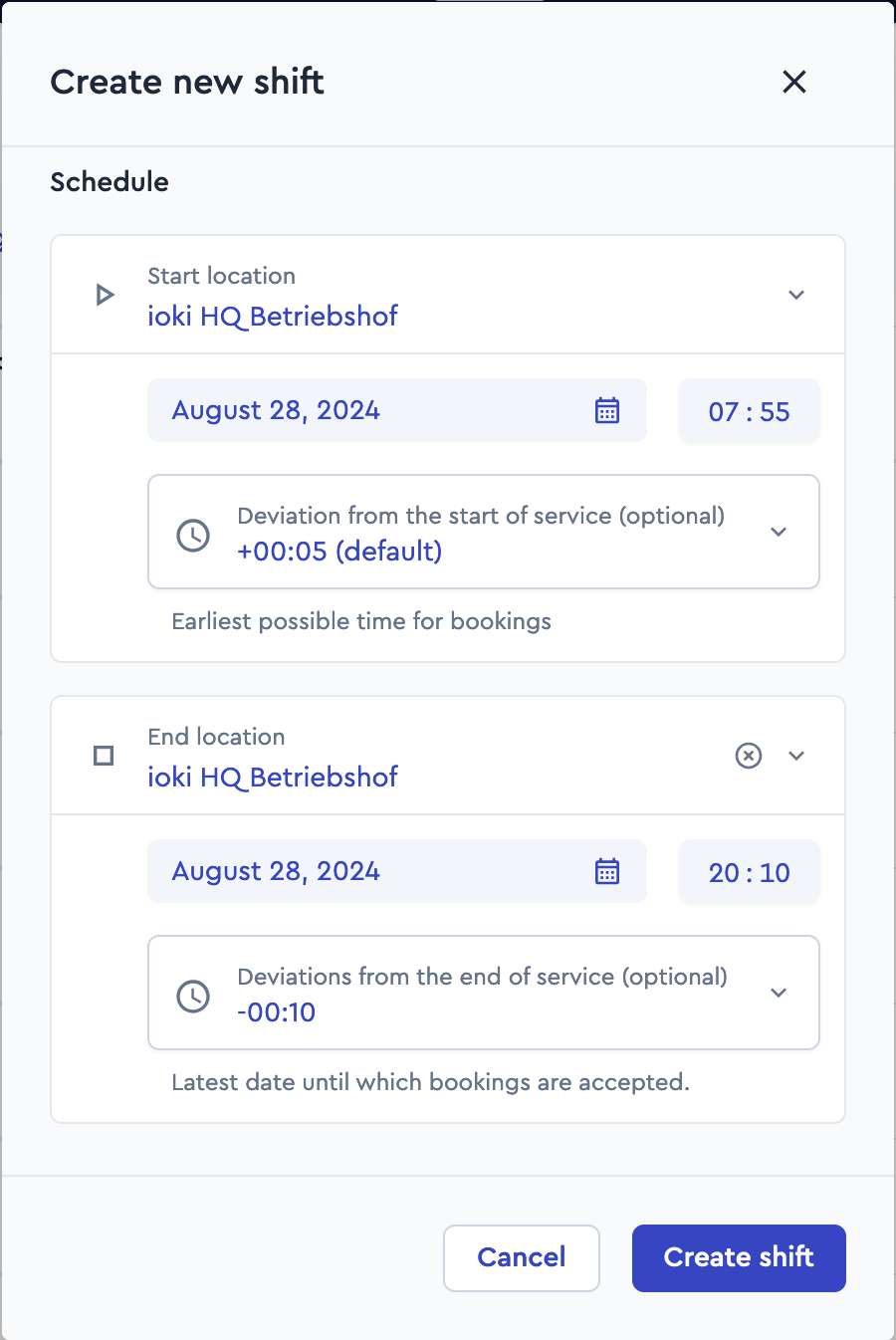
Start and end times of the service can now be specified as the difference between the shift start and the rides to and from the depot. This allows for travel times before the actual service start to be taken into account.
Pre-bookings
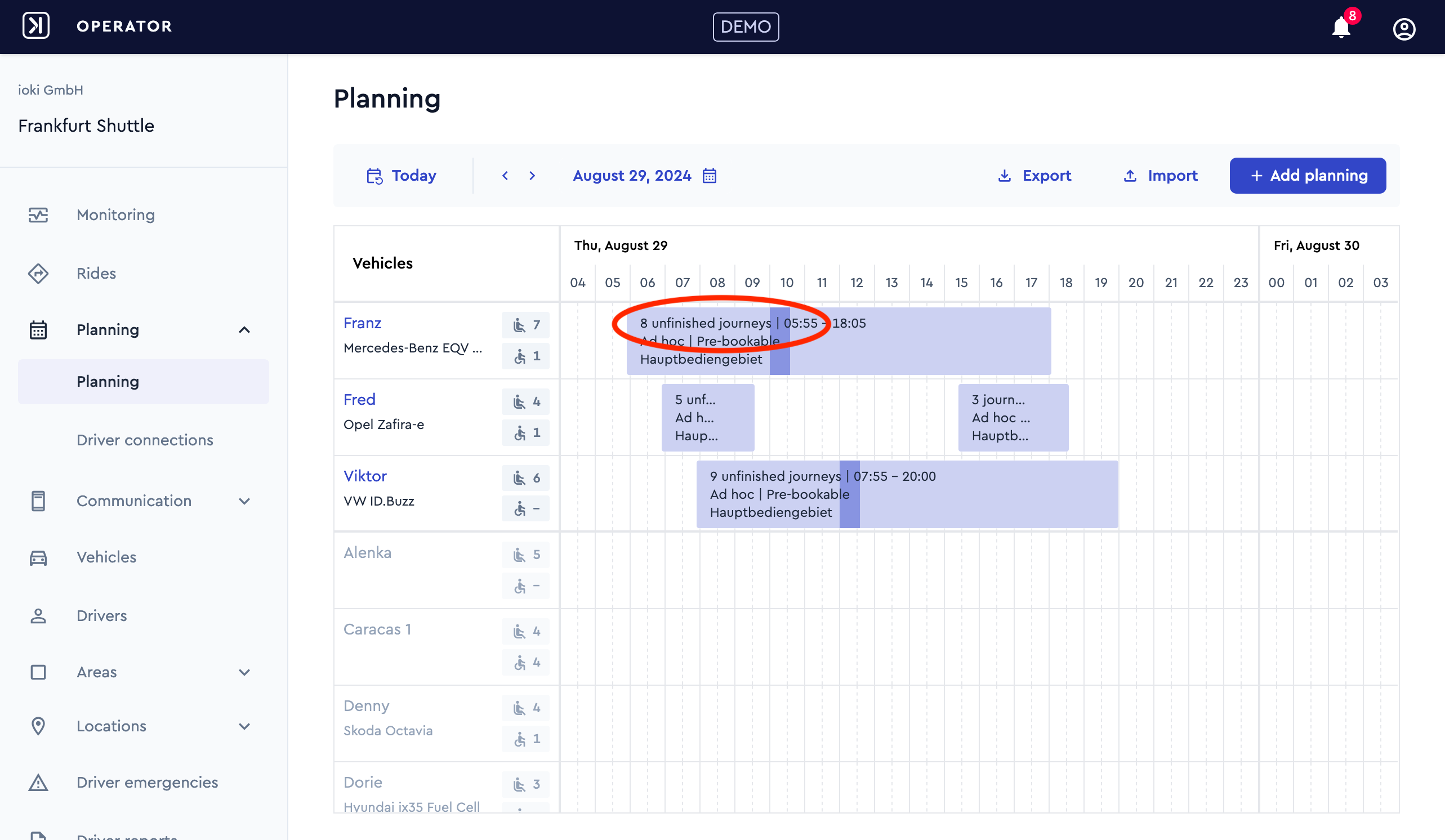
The number of pre-bookings can now be accessed in the planning view. This allows you to quickly recognize which shifts are more or less busy. This overview is especially helpful for adjusting plans in case of last-minute changes, such as a vehicle breakdown.
Not yet familiar with vehicle planning on our platform? You can find the vehicle planning course here.
Operational control
The following functions can now be used in the ioki Operator:
Deactivations of vehicle plannings
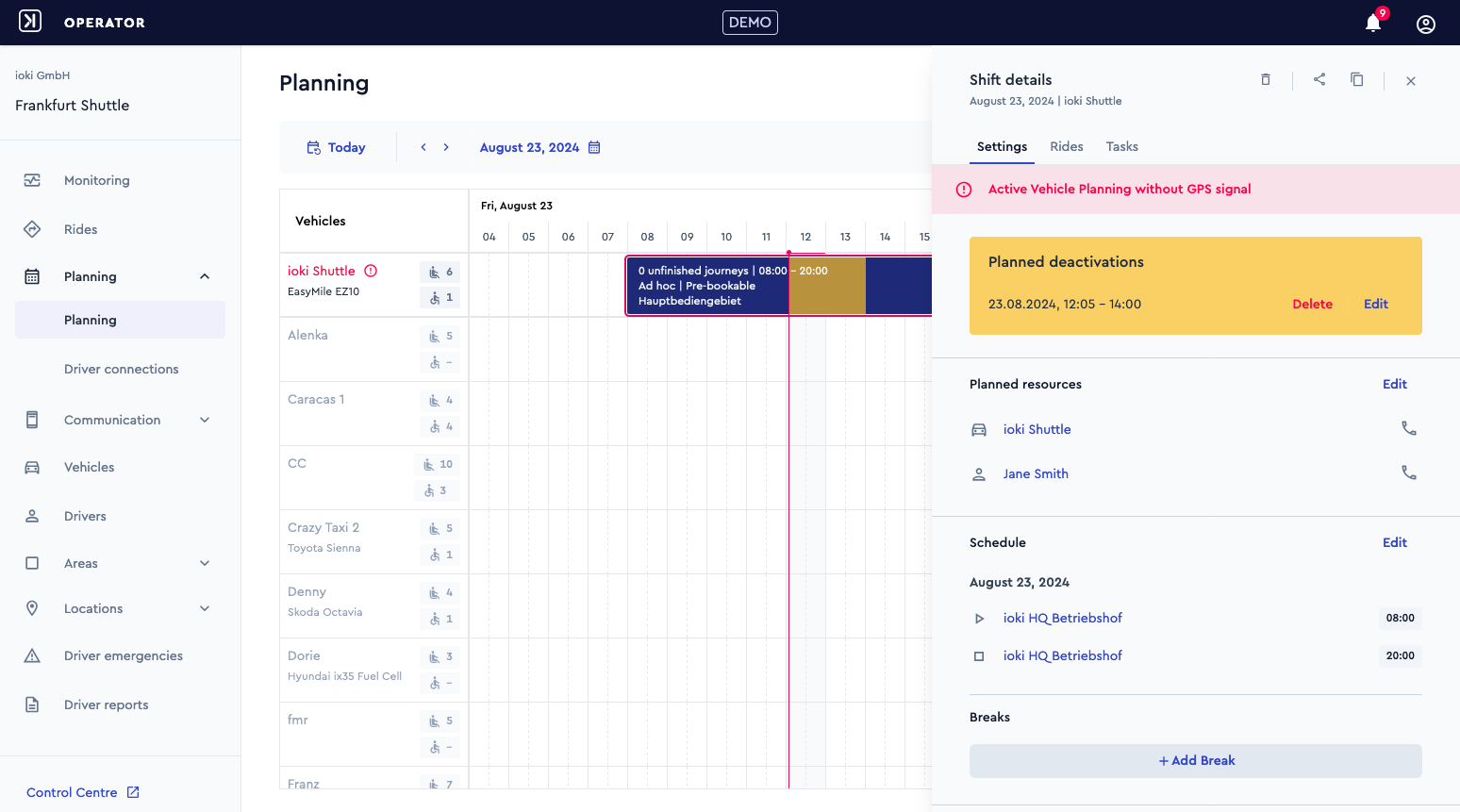
Deactivations of stations
Restricted areas
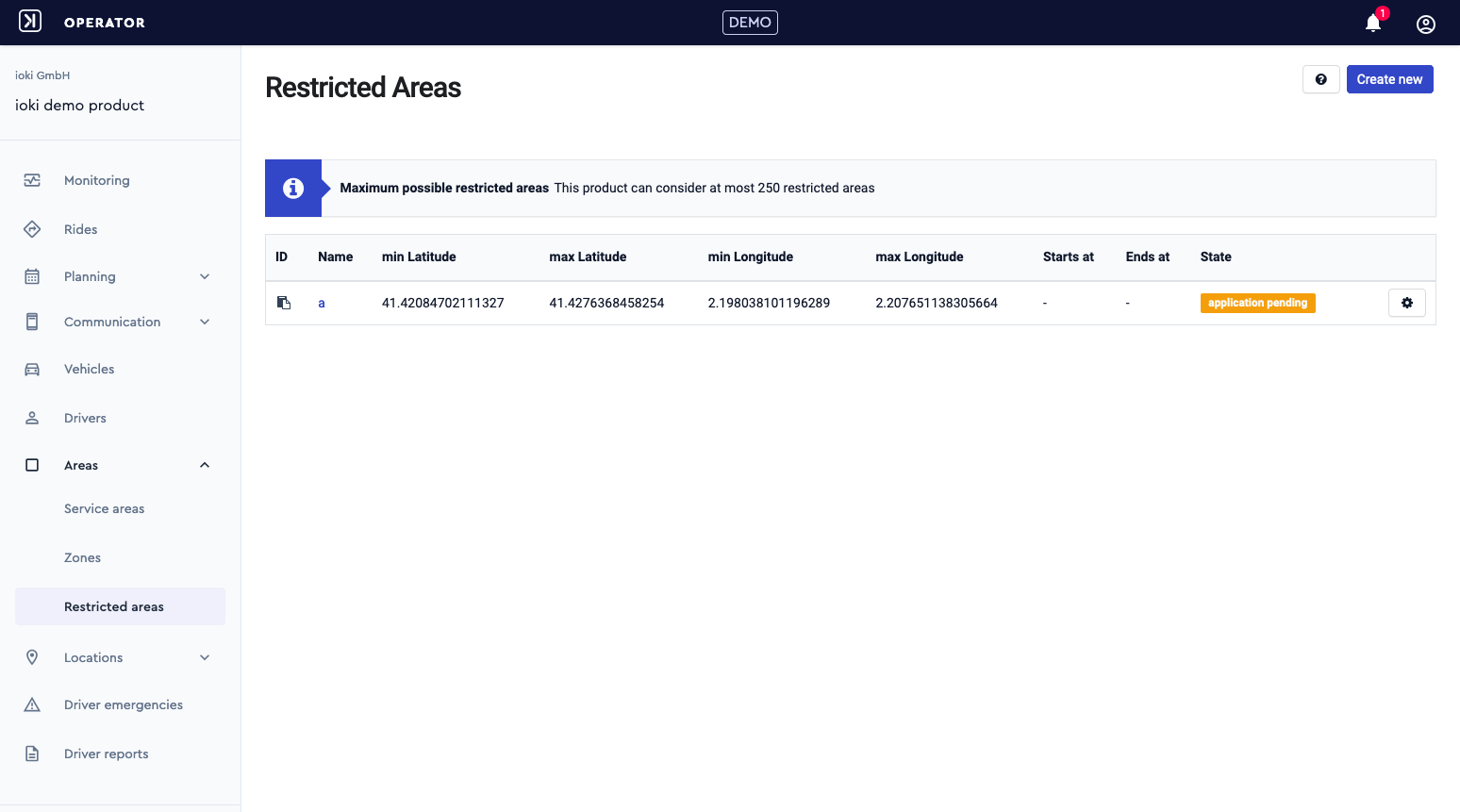
Areas
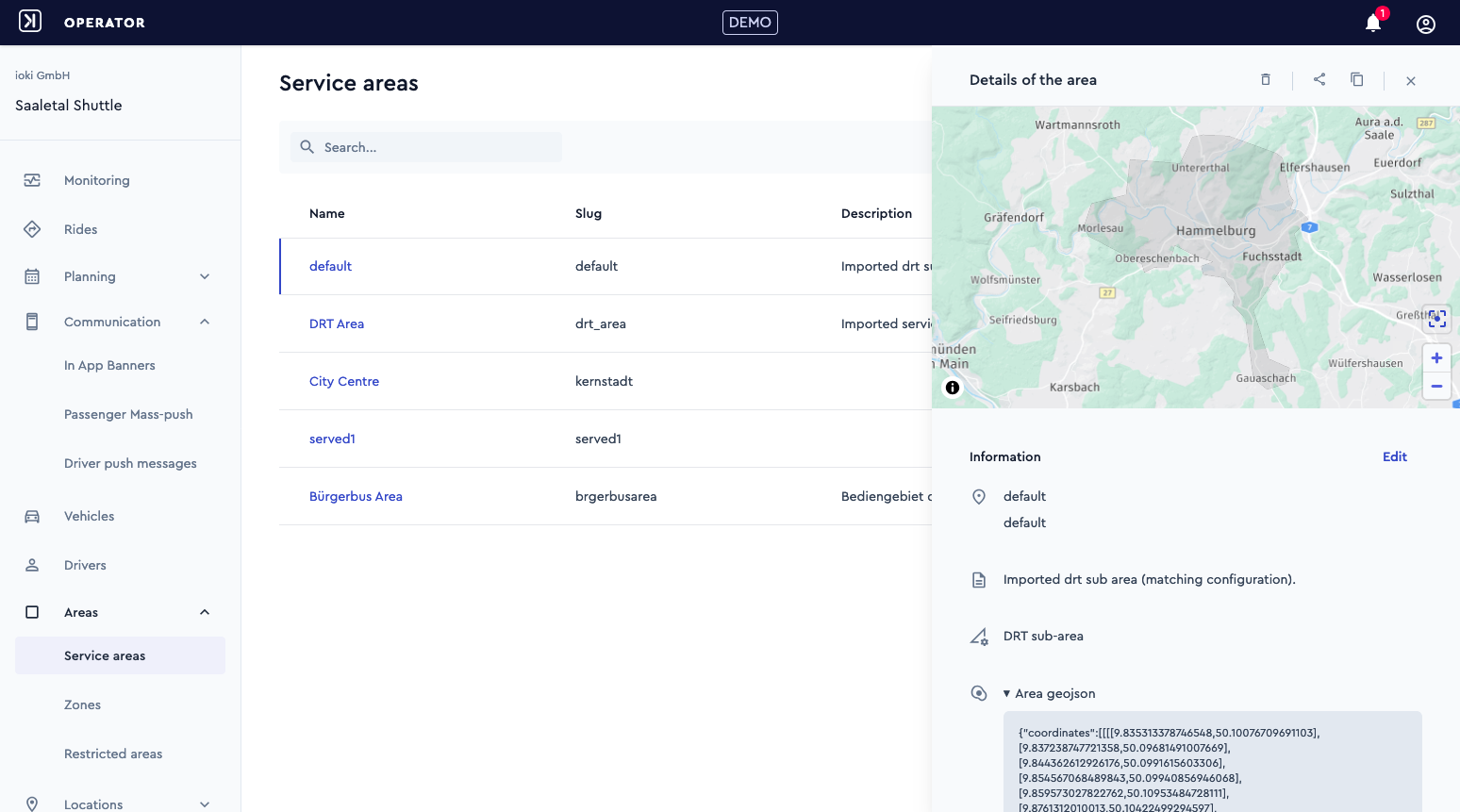
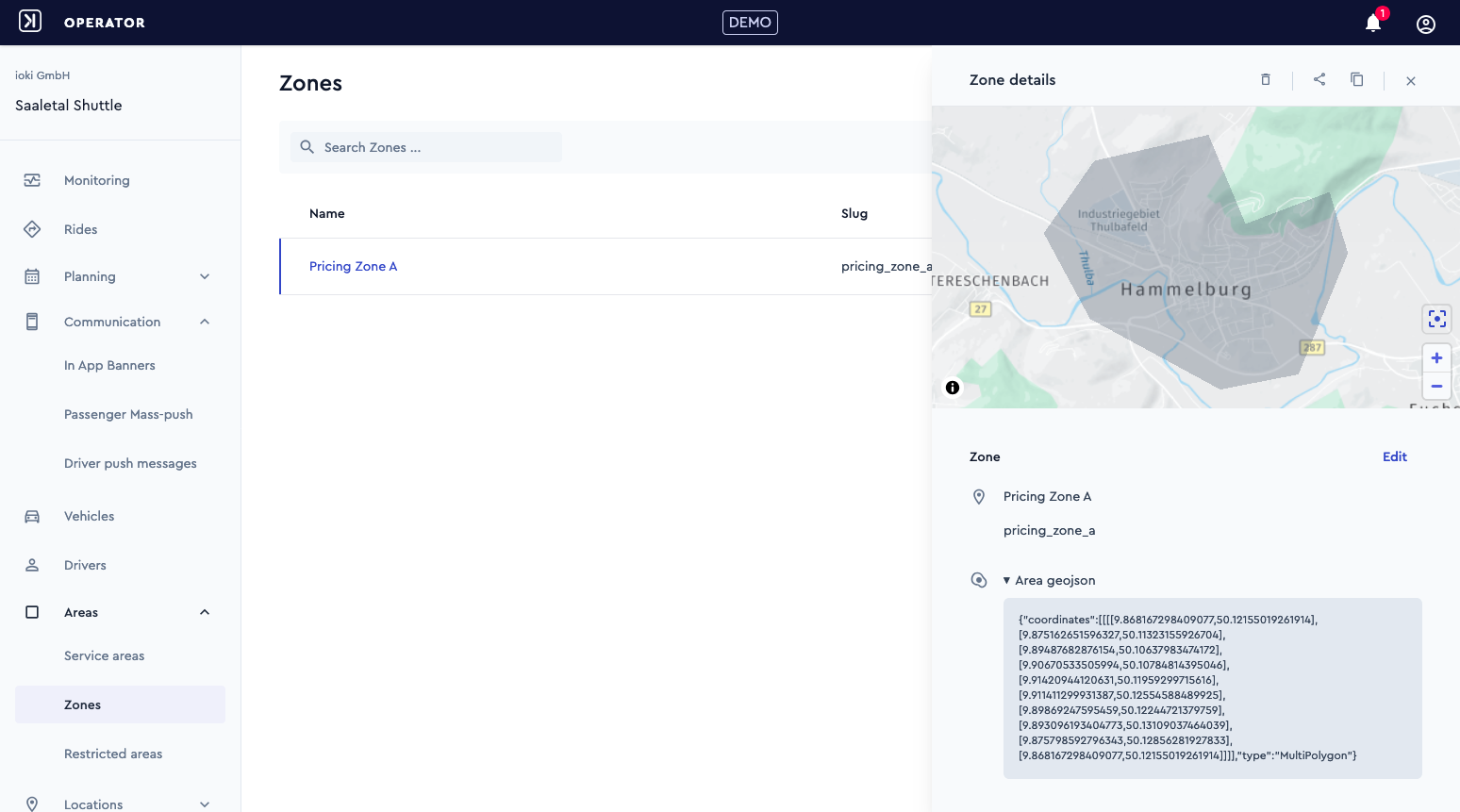
Product areas can now be managed in the ioki Operator
You can find all details about areas and how to create them using GeoJSON in our Academy course!
Service areas (DRT areas, served areas, unserved areas)
Zones
Stations as transfer points
In the ioki Operator, every stop in the DRT area can now be marked as a transfer point “from” or “to” other public transport connections.
The marked stops are taken into account by the ioki algorithm for intermodal journeys.
ioki Passenger App
New registration
The registration process in the ioki Passenger App has been improved. User-friendliness has been optimized by improving the grouping of the necessary authorization queries and increasing the transparency of progress. All functions of the operating system are used. As a result, the data is filled in automatically.
ioki Vehicle App
Release 2.23.0 and new minimum version 2.22.0
The Version 2.23.0 of the ioki Vehicle App will be released for all customers in the Google Play Store and Apple App Store in September.
Depending on the device settings, you will be automatically notified of the update.
Alternatively, the latest version can also be downloaded from these links:
Android: https://play.google.com/store/apps/details?id=com.ioki.driver.android
iOS: https://apps.apple.com/us/app/ioki-vehicle-app/id1550081112
Version 2.22.0 will be the new minimum version on September 24, 2024. This version must be installed by this date.
The ioki Vehicle App will display a corresponding message on this date.
Version 2.22.0 or higher is available for all customers in the Google Play Store and Apple App Store.
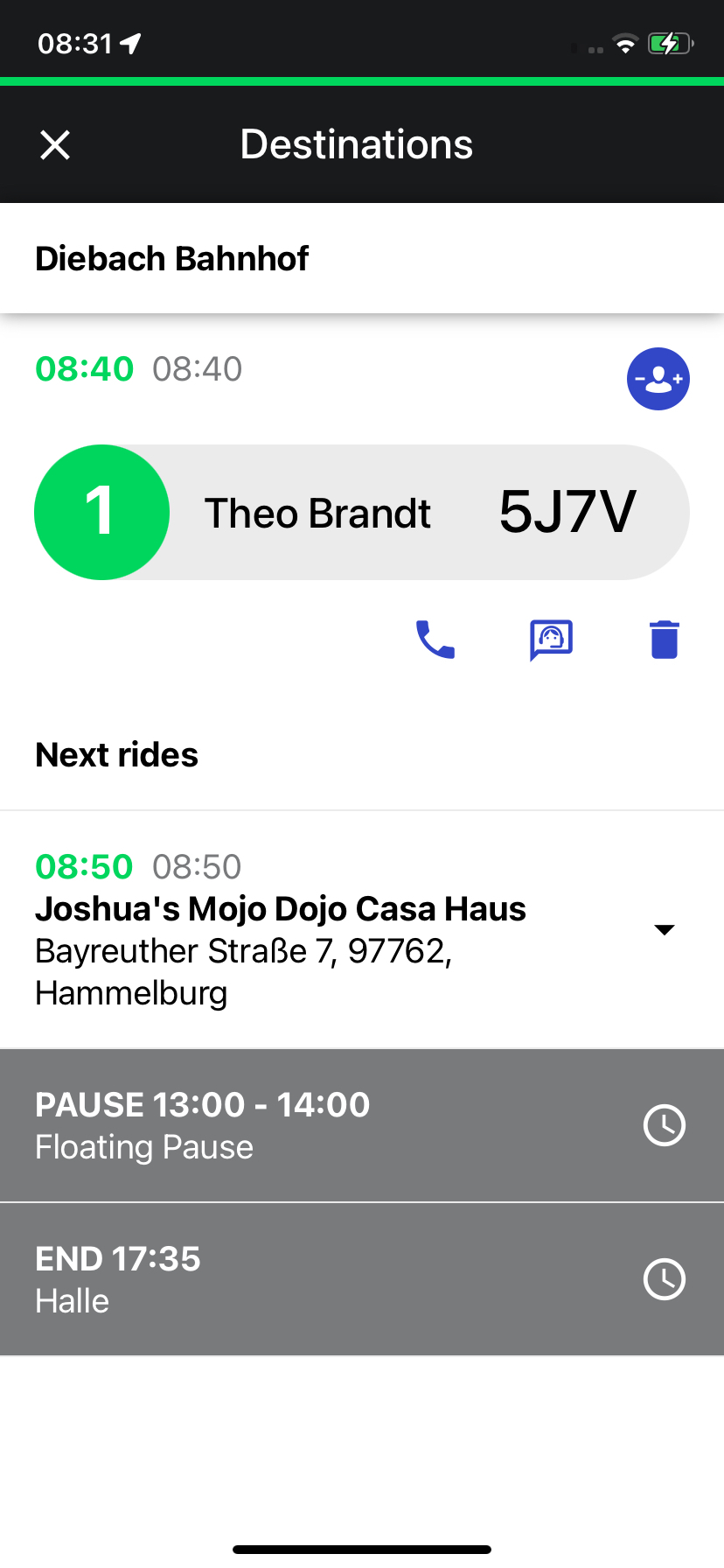
Improved task times
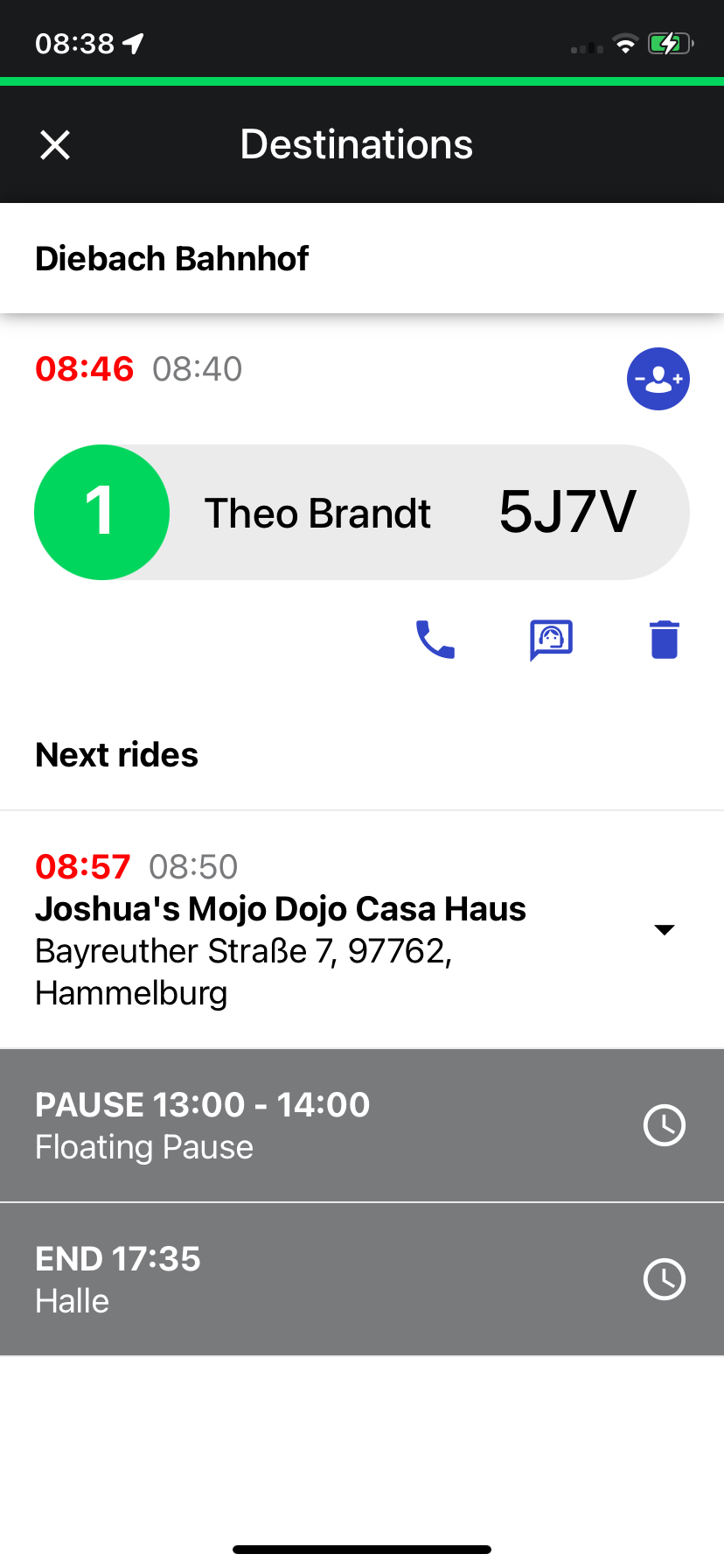
The display of pick-up and drop-off times has been improved to make rides even more user-friendly.
In addition to the times communicated to passengers, deviations are now highlighted visually:
Green: if the deviation is less than two minutes, the new time appears in green next to the original time.
Orange: If the deviation is between two and four minutes, the changed time is displayed in orange.
Red: If the deviation is more than five minutes, the new time appears in red.
These optimizations provide a clearer and faster overview of all time changes.
Temporary Wi-Fi-only device support
The option to install the ioki Vehicle App on Android devices that only have a Wi-Fi connection has been temporarily reactivated to ensure compatibility with these devices.
Going forward, it is important to ensure that the app is only used on devices that can also establish a mobile data connection to the internet independently.
In the past, problems occurred in particular with WLAN-only devices that connected to hotspots, as the connections were often unstable.
There are plans to make the ioki Vehicle App available again only for Android devices that can establish a mobile internet connection themselves.
Special characteristics of iOS devices
This is different for iOS devices, as the Apple App Store provides fewer filter functions for devices.
Important: Despite a mobile data connection, it is not possible to initiate or accept calls on iPads. This is specified by Apple and cannot be changed.
This requires drivers using iPads to carry a secondary device, such as an iPhone, to access the call functionality in the app and remain reachable for passengers.